We Built an App (With a Little Help from AI)

Every year at Cactusforce, we push ourselves to try something new. This year, we asked: what if AI could help us solve one of our biggest challenges, giving attendees an easy way to navigate the event?

So we built Cactusforce.app.

Why We Built It

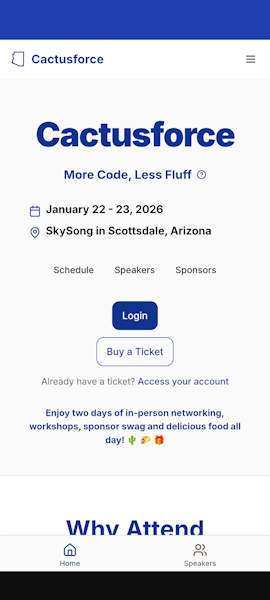
Let's be honest: reviewing the schedule, finding when our favorite speaker is up, connecting with sponsors, and tracking sessions across two days can be overwhelming. We wanted something simple and clean that puts everything you need in one place, no downloads, no friction.

How We Built It

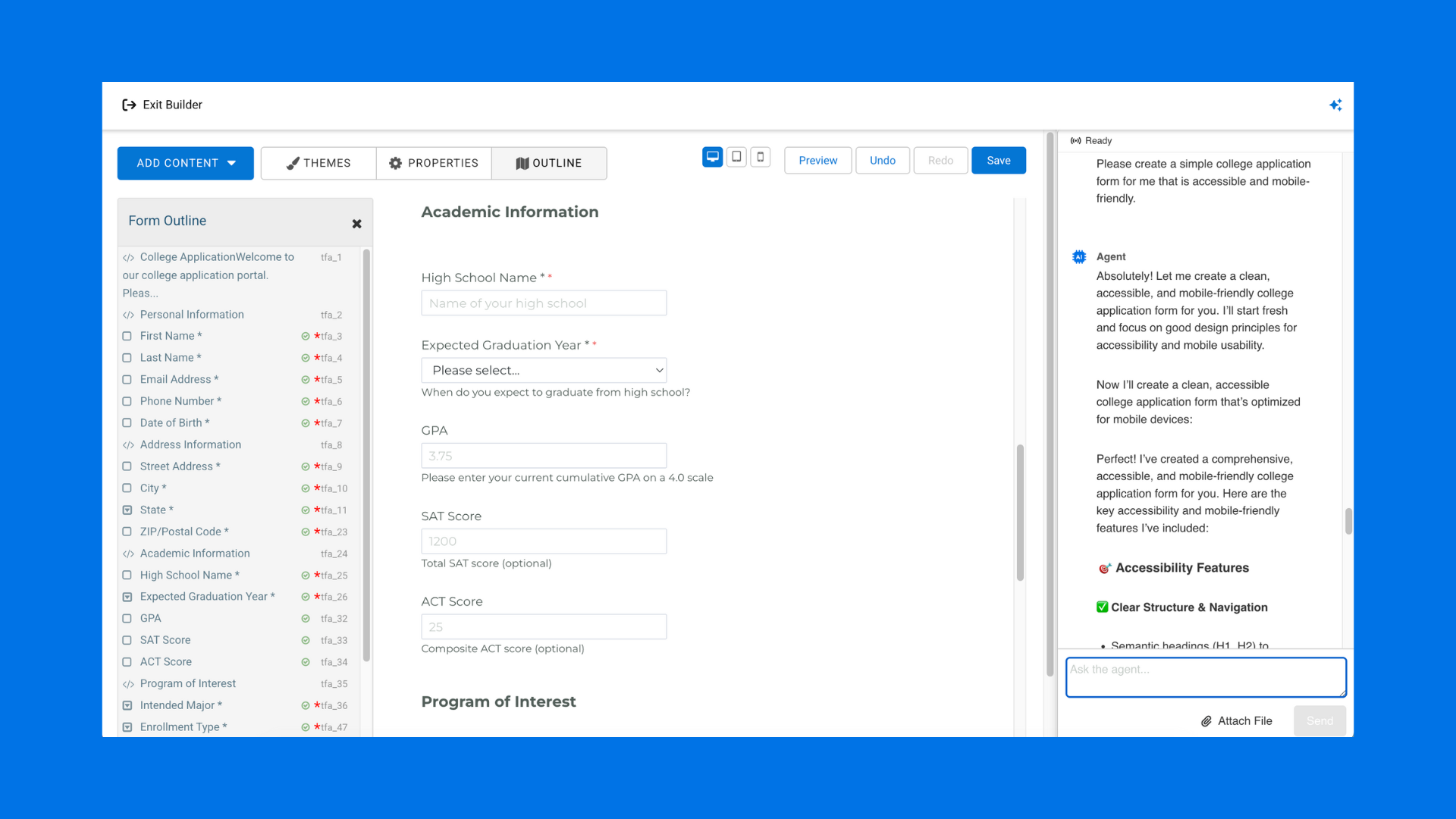
The Cactus Crew experimented with popular Gen AI and AI platforms vO and Lovable to see if we could build something meaningful without starting from scratch.

Could AI help us design the interface? Map out the user flow? Generate components? Debug faster?

Turns out, yes.

We settled on the Floot platform, but we still had a long way to go. We tested what AI can actually do, where it falls short, and how to work alongside it.

What's Inside the App

Here's what you'll find:

  • Full session schedule with filtering by day and time

  • Speaker bios and session details so you know what you're walking into

  • Sponsor directory to explore the companies making this event possible

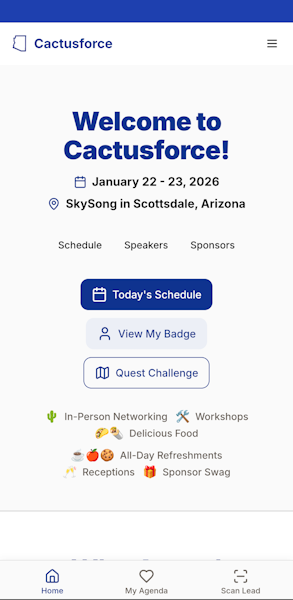
  • See Today’s schedule, created a personalized schedule

  • Bookmark sessions you don't want to miss and watch the Live Streams

  • Favorite the best sessions on your schedule

  • See Today’s schedule and View Announcements

  • View maps of the facility and Expo

  • Get all the answers on the FAQ or get Real-time updates if anything changes

It's mobile-friendly, works on any device, and loads fast. No app store required.

How to Access It

Starting today, head to cactusforce.app from any browser to have a look around. Registered attendees can access the app and participate in Cactusforce online.

You can log into the Cactusforce.app from your iOS or Android device. You may be prompted to install the site as an app (installation is optional).

Tap the Log In button.

Enter the email address linked to your Cactusforce registration. If you’re not certain which address was used during ticketing, reach out for assistance.

  • Tap the Get Link button to receive an email with your login link.

  • Check your inbox – the message should arrive within a minute.

  • Check your spam or junk folder if it doesn’t arrive soon after the request.

  • View the email and tap the Log In button to sign in. You should see the “Welcome to Cactusforce” screen.

That's it. Bookmark it, add it to your home screen, and you're good to go.

Why This Matters

We built it because we're curious about how AI changes what's possible for teams solving real problems. And we wanted to share that journey with you.

If you're wondering how AI fits into your workflow, what it can actually help you build, or where the hype meets reality, come to Cactusforce. These are the kind of conversations happening between sessions and over lunch. Exactly the kind senior developers and architects are navigating.

See you in Scottsdale. 🌵

Cactusforce 2026 | January 23-24 | ASU SkySong Innovation Center

Questions about the app? Spot a bug? Let us know in the Cactusforce Slack or tag us on LinkedIn.

Marisa Hambleton
7 of the Biggest Data Collection Challenges Healthcare Organizations Face - and How to Overcome Them

Healthcare organizations today are under more pressure than ever to securely collect, manage, and share critical data. From HIPAA compliance, to multi-step approvals and Salesforce integration, the challenges can feel overwhelming – especially when outdated systems or paper-based processes are still in the mix.

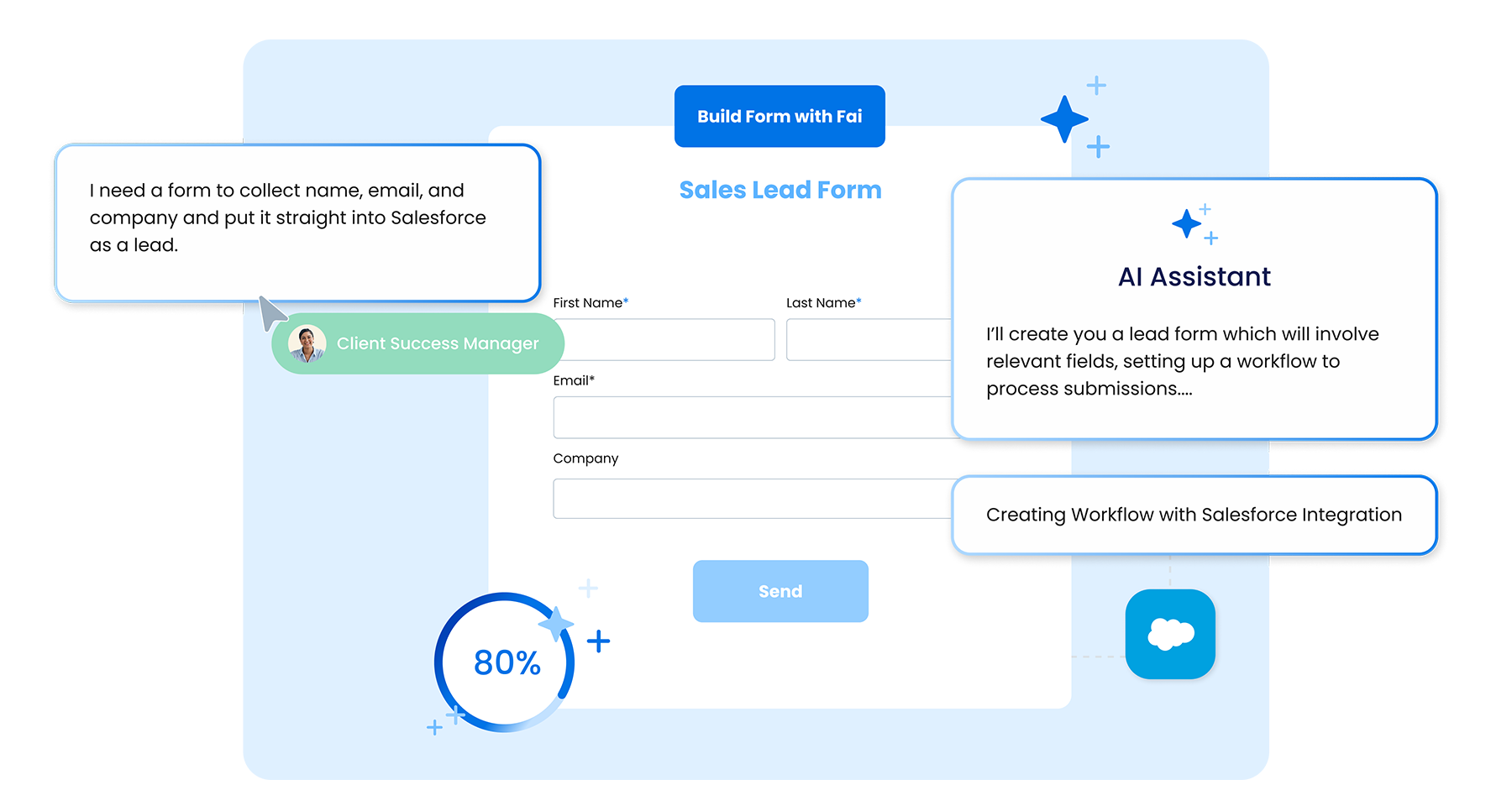
The good news: FormAssembly Atlas can help your team overcome these challenges and work smarter, faster, and more securely. At the center of the platform is Fai, an agentic AI assistant that is able to instantly generate branded forms and workflows, complete with seamless Salesforce integrations.

We’re always listening and always trying to find ways to improve data collection for our users. Here are seven of the biggest data collection challenges healthcare organizations face and how Atlas and Fai help overcome them.

Challenge #1: Meeting HIPAA Compliance and Security Requirements

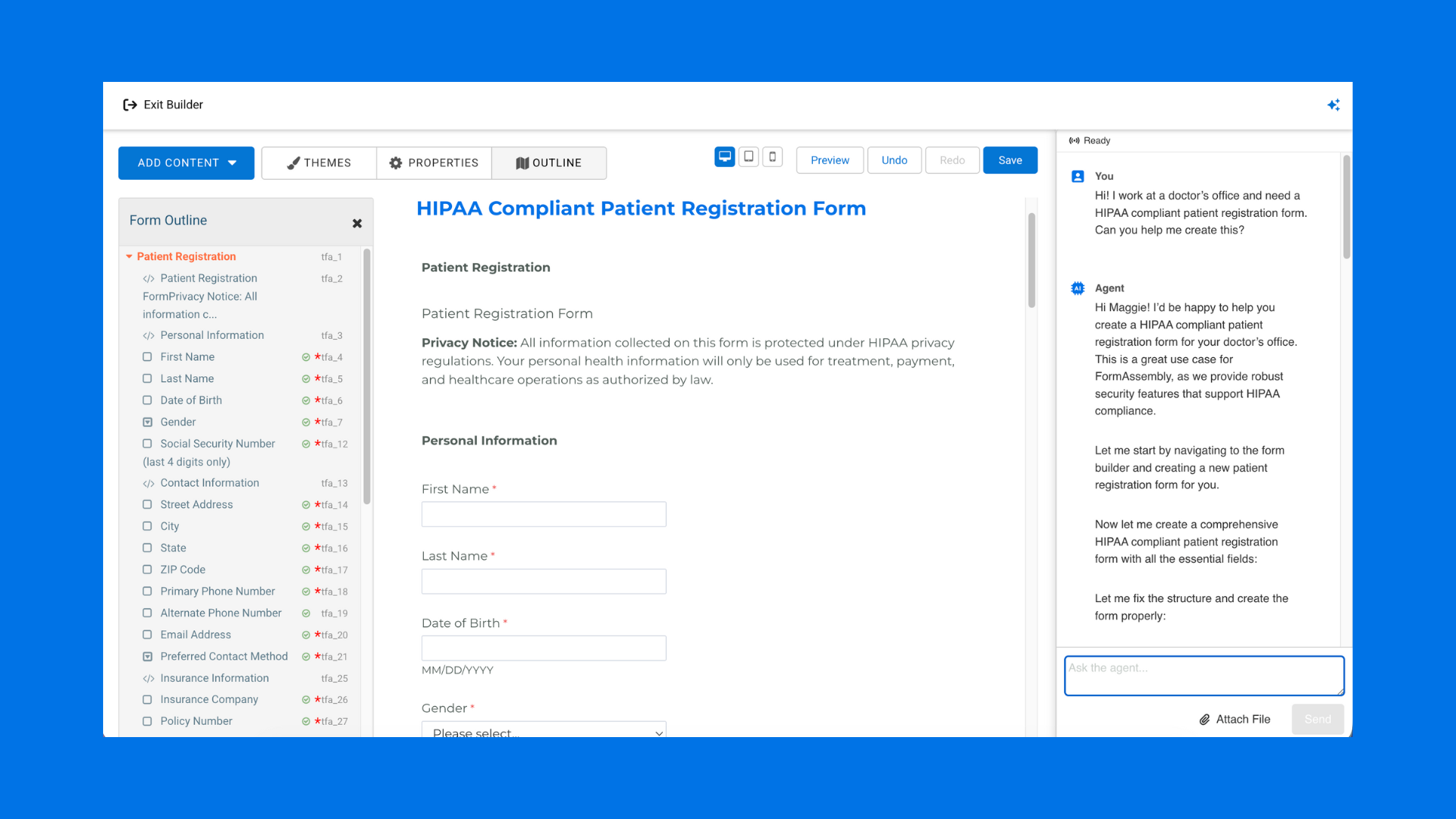
Healthcare organizations handle highly sensitive patient data (PHI) every day. Many struggle with tools that aren’t built to meet HIPAA requirements, making compliance a constant concern. Organizations also need features like secure SSO, file uploads, and encryption to protect patient information.

FormAssembly’s Solution: Healthcare organizations rely on FormAssembly to build HIPAA compliant forms and workflows that include:

  • Secure data collection and storage

  • Single sign-on (SSO)

  • Encrypted file uploads

  • Robust audit trails for accountability

With these safeguards in place, healthcare teams can confidently collect, share, and manage PHI while staying compliant. With Fai, compliance becomes part of your workflows from the start. The agentic AI assistant provides real-time guidance on data privacy and security requirements based on industry and region, helping healthcare organizations configure forms and workflows that align with HIPAA from the get-go. 

Challenge #2: Integrating Seamlessly with Salesforce

Many healthcare organizations want to connect forms directly to Salesforce to cut down on manual data entry and speed up workflows. Without a strong integration to rely on, things like attachments and form data can get stuck in silos.

FormAssembly’s Solution: With a best-in-class Salesforce integration, FormAssembly eliminates redundant work for healthcare organizations by:

  • Automatically pushing form responses into Salesforce records

  • Storing file uploads directly in Salesforce as attachments

  • Supporting advanced features like conditional logic, dynamic picklists, and prefilled forms

  • Handling complex workflows like multi-signer e-signatures with Salesforce data syncing

The result is a seamless, automated data flow that keeps everything connected in Salesforce, reducing errors and giving healthcare teams more time to focus on patient care.

Challenge #3: Replacing Paper-Based, Scattered Processes

Many healthcare teams still rely on paper forms, email attachments, or shared folders, which results in data getting lost in inboxes, being left on desks, or fragmenting across multiple systems. If an employee leaves, vital information may disappear with them.

FormAssembly’s Solution: By moving to secure online forms and workflows, healthcare organizations gain:

  • Centralized access to data in one platform

  • Searchable, trackable form submissions

  • Reduced risk of lost or misplaced records

  • A modern, digital-first process that eliminates manual paperwork

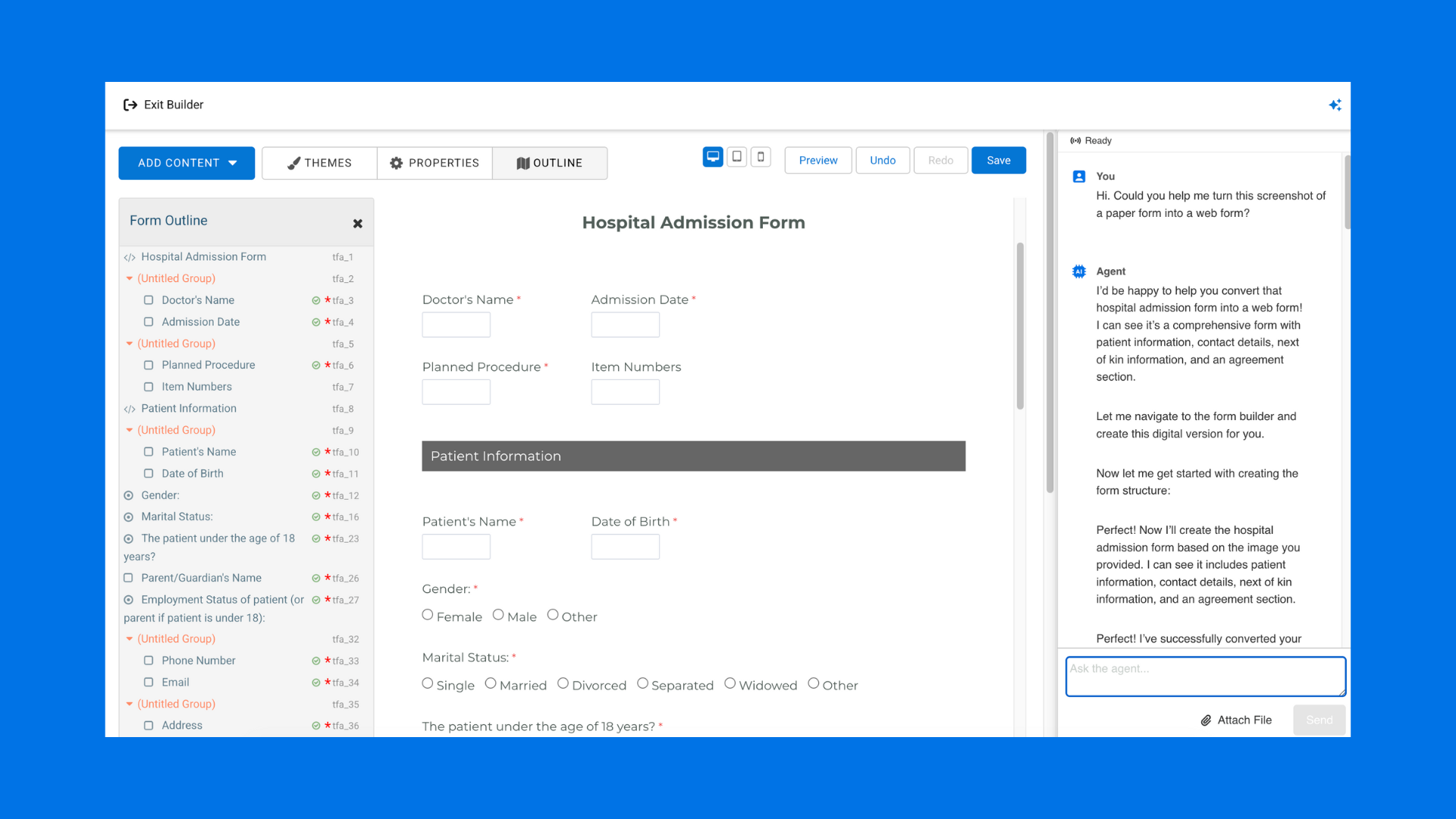
With File to Web Form, Fai makes it easy for healthcare teams to digitize their existing paper and PDF forms – simply upload an image of a paper form or a PDF file, and Fai will transform it into a web form in seconds. 

Challenge #4: Automating Approval Workflows

Traditional approval processes within healthcare organizations are slow, often involving weeks of faxing, emailing, and in-person signatures. These delays create red tape and slow down patient care.

FormAssembly’s Solution: Fai allows organizations to build complete workflows instantly. Simply start with a prompt, tell Fai what you are looking to accomplish, and watch as the workflow is built for you, securely and with all necessary steps incorporated.

Fai’s workflow capabilities include:

  • Building automated approval paths with multiple reviewers

  • Routing forms to the right people in real time

  • Capturing e-signatures digitally (single or multi-signer)

  • Keeping processes moving quickly, even across distributed teams

With workflow automation, healthcare organizations can reclaim valuable hours and redirect them to what matters most – delivering quality patient care.

Challenge #5: Integrating with Core Systems Like Epic EHR

A large number of healthcare organizations rely on electronic health record (EHR) systems like Epic but struggle to connect them to external forms and workflows. Without proper integration, staff end up wasting hours re-entering patient data manually.

FormAssembly’s Solution: FormAssembly enables data to flow seamlessly between forms and EHR systems via our webhook connector. This enables healthcare teams to:

  • Prefill forms with patient data from Epic or other systems

  • Automatically route collected data back into the EHR

  • Eliminate redundant manual entry of labs, ICD codes, and more

With FormAssembly, healthcare teams can fully leverage their EHR data, streamline workflows, and free up time to focus on patient care, rather than repetitive data entry.

Challenge #6: Maintaining Version Control and Audit Trails

Shared logins, email attachments, and manual edits make it nearly impossible to track who changed what, or when within a healthcare team. This creates compliance risks and reduces accountability across the organization.

FormAssembly’s Solution: With FormAssembly, every form and workflow includes:

  • Structured audit trails that record actions taken

  • Secure user permissions for better role-based control

  • Clear visibility into approvals and submissions

These safeguards ensure compliance and peace of mind for staff and patients alike.

Challenge #7: Enabling Fast, Accessible Collaboration

Healthcare teams are rarely all in the same place at once. Remote collaboration is critical, but manual routing and paper-based processes make approvals and reviews slow and inaccessible.

FormAssembly’s Solution: FormAssembly makes forms and workflows accessible from anywhere. Teams can:

  • Collaborate in real time across departments or locations

  • Enable remote approvals and signatures

  • Streamline processes to cut turnaround times from weeks to days (or even hours)

It is possible for healthcare organizations to modernize their processes while still maintaining security and compliance

Final Takeaway

From HIPAA compliance to Salesforce integration and automated workflows, the challenges facing healthcare organizations are real – but they don’t have to be permanent.

By switching from scattered, paper-based processes to a centralized, HIPAA-compliant platform like FormAssembly, your organization can improve efficiency, safeguard patient data, and ultimately provide better care.

Learn more about how FormAssembly supports healthcare organizations.

Interested in exploring Atlas? Book a personalized demo or start a free trial today.

Marisa Hambleton
10 of the Biggest Data Collection Challenges Higher Ed Institutions Face - and How to Overcome Them

Collecting and managing data efficiently is one of the biggest challenges higher education institutions face today. Between juggling multiple departments’ data collection needs, complex compliance requirements, and integrations with CRMs like Salesforce or TargetX, it’s easy for processes to get fragmented.

The good news: FormAssembly Atlas can help your team overcome these challenges and work smarter, faster, and more securely. At the center of the platform is Fai, an agentic AI assistant that is able to instantly generate branded forms and workflows, complete with seamless Salesforce integrations.

We’re always listening and always trying to find ways to improve data collection for our users. Here are ten of the biggest data collection challenges higher ed institutions face and how Atlas and Fai help overcome them.

Challenge #1: Rigid Form Systems That Limit Flexibility

Many higher ed institutions use form building platforms that force mapping to existing CRM fields, making it hard to capture non-CRM data or departmental-specific needs. Rebuilding or redirecting these forms costs teams valuable time and does not leave enough room to capture the data that is needed to make informed decisions.

FormAssembly’s Solution: FormAssembly Atlas enables organizations to create forms and workflows that can stand alone or integrate seamlessly with a CRM, giving departments autonomy while maintaining enterprise connectivity. With Fai, the built-in agentic AI assistant, users can simply enter a prompt and watch as entire forms are built for them, complete with response data that automatically connects to Salesforce and other CRMs.

Challenge #2: Integrating Across Multiple Departments

It is typical for there to be several departments across a higher ed institution that need to collect and manage data independently. However, many data collection tools only support centralized CRM processes, creating silos and inefficiencies.

FormAssembly’s Solution: FormAssembly supports multi-department workflows with role-based access, so each team can interact with forms and data according to their needs without interfering with other departments. Embeddable forms and departmental-specific workflows make collaboration seamless.

Challenge #3: Manual Document Generation and E-Signature Processes

Staff at higher ed institutions often have to manually generate and route documents to other teams, then collect physical signatures. This is a slow, error-prone process – not to mention, outdated!

FormAssembly’s Solution: FormAssembly’s document generation and e-signature capabilities eliminate manual steps, allowing documents to be routed, electronically signed, and securely stored without third-party tools (or walking across campus!). Neither students nor staff need FormAssembly or Salesforce credentials to complete these processes.

Challenge #4: Complex Compliance and Procurement Requirements

Higher ed institutions must meet state and federal compliance requirements (e.g., StateRAMP, FedRAMP) for cloud-based tools, which can delay procurement and implementation.

FormAssembly’s Solution: FormAssembly is built to support compliance with state and federal regulations, ensuring colleges and universities are able to protect sensitive student data at all times. With Fai, compliance becomes part of a workflow from the start – the agentic AI assistant provides real-time guidance on data privacy and security requirements based on industry and region, helping organizations configure forms and workflows that align with standards like HIPAA, GDPR, and FedRAMP. Backed by FormAssembly’s enterprise-grade security, Fai ensures every form is built with compliance in mind.

Challenge #5: Limited Staff and Resource Constraints

The teams in charge of collecting data and managing forms at higher ed institutions are often small. They juggle multiple responsibilities and are not always able to manage complex form setups for multiple departments.

FormAssembly’s Solution: FormAssembly’s role-based access control and prebuilt workflows reduce admin burden, letting staff manage forms efficiently without broad edit permissions. Workflows, prefill, and automation help small teams handle large volumes of forms and data.

Challenge #6: Outdated or Fragmented Forms

Many higher ed institutions use multiple, redundant forms for similar purposes, which creates inefficiencies and data quality issues. They often don’t have the time or resources to dedicate to simplifying and streamlining their forms.

FormAssembly’s Solution: FormAssembly enables centralized form management, which allows users to consolidate forms, implement templates, and reuse logic. Visual workflows make it easy to update and scale forms while maintaining data accuracy.

Challenge #7: Difficulty Mapping and Tracking Data

Mapping multiple form fields to Salesforce or other CRMs can be complex, with limited visibility into data flows. Not every form builder out there is able to do this well.

FormAssembly’s Solution: FormAssembly’s Salesforce integration includes prefill, filtering, and workflow automation features, which ensures that data maps accurately. Visual workflow dashboards allow staff to track submissions, approvals, and data routing.

Challenge #8: Leadership Turnover and Organizational Politics

Changing priorities, unclear departmental autonomy, and political dynamics make it hard to implement new processes or tools at higher ed institutions.

FormAssembly’s Solution: FormAssembly’s flexible platform supports pilot programs and incremental adoption. Case studies, templates, and prebuilt workflows help demonstrate success to leadership and reduce risk during transitions.

Challenge #9: Scaling Challenges Across Programs

Expanding forms, workflows, and document processes to multiple programs or campuses can be slow and inconsistent.

FormAssembly’s Solution: Automated workflows, reusable templates, and multi-campus integration allow institutions to scale efficiently. FormAssembly supports complex routing, approvals, and notifications across multiple programs without duplication of effort.

Challenge #10: Accessibility, Multi-User Collaboration, and Mobile Use

Higher ed institutions need forms that are accessible, mobile-friendly, and support logic branching, multi-user collaboration, and reporting — often a missing piece in older tools.

FormAssembly’s Solution: FormAssembly offers accessible, mobile-optimized forms with logic branching, collaboration tools, reporting dashboards, and export options. Of additional importance, SSO integration ensures secure access for faculty, staff, and students.

Simplifying Data Collection for Higher Ed

Data collection in higher education doesn’t have to be a source of frustration. By adopting a flexible, compliant, and integrated platform like FormAssembly, institutions can eliminate inefficiencies, reduce manual work, and ensure accurate, secure, and actionable data across all departments.

Learn more about how FormAssembly supports higher education.

Interested in exploring Atlas? Book a personalized demo or start a free trial today.

Marisa Hambleton
Meet Fai - FormAssembly AI

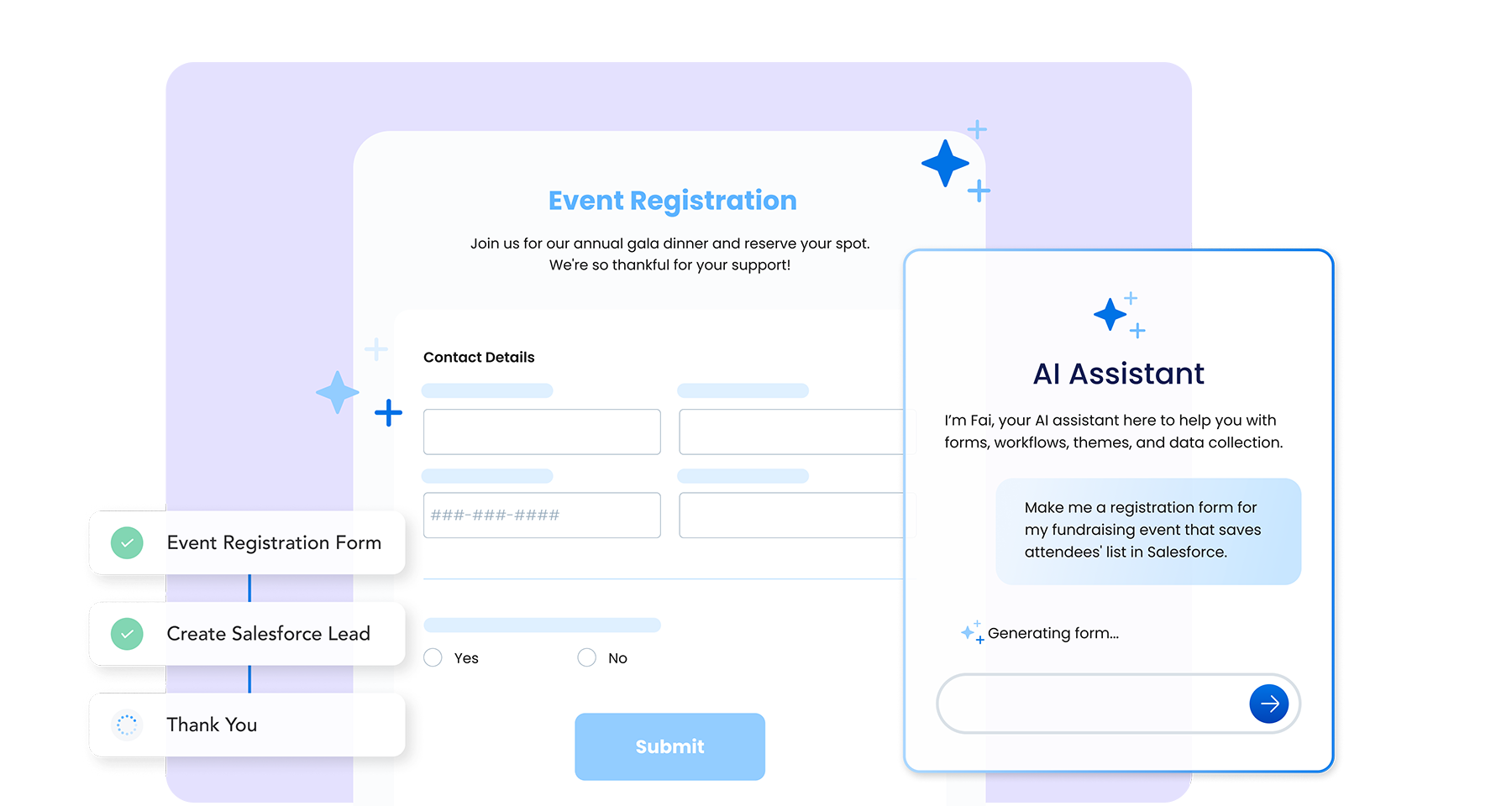
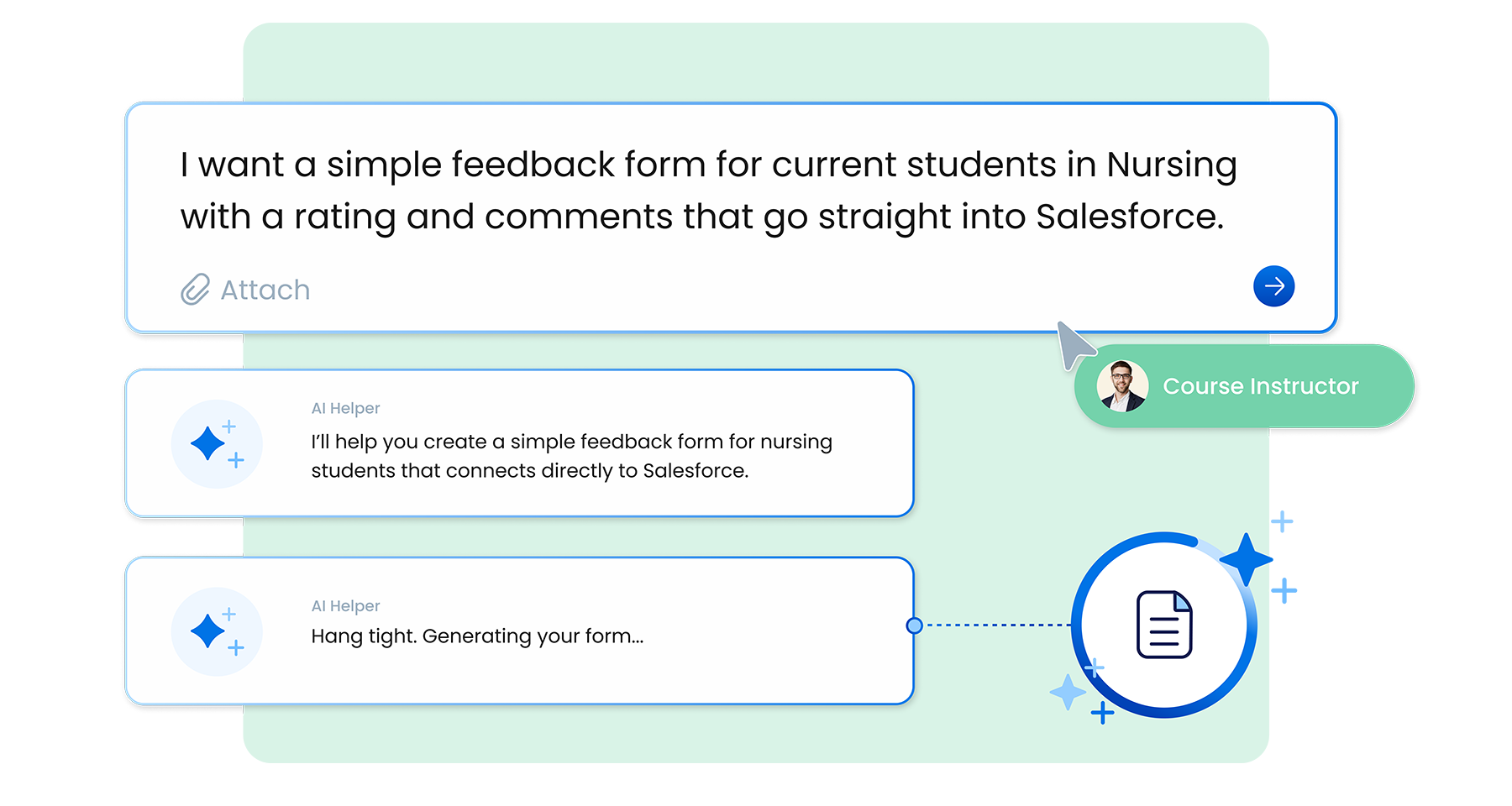
FormAssembly Atlas, the next generation of FormAssembly’s enterprise data collection and automation platform, empowers you to transform how your business collects, connects, and controls data. At the heart of Atlas is FormAssembly AI, or Fai – your built-in, agentic AI assistant.

Fai guides you through workflow creation, making it faster and easier than ever to build the forms and workflows you need to keep your business moving forward.

In this blog, we’ll show you a few examples of how you can utilize Fai to enhance your workflows and take care of the tasks that would otherwise eat up hours of your time. Let’s dive in!

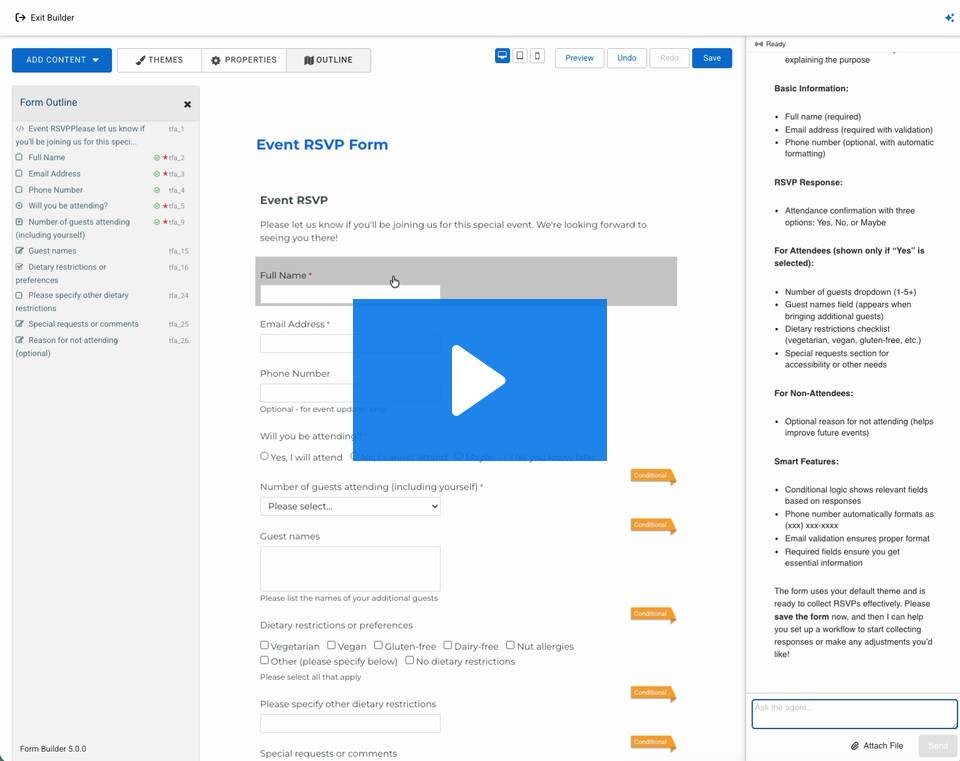
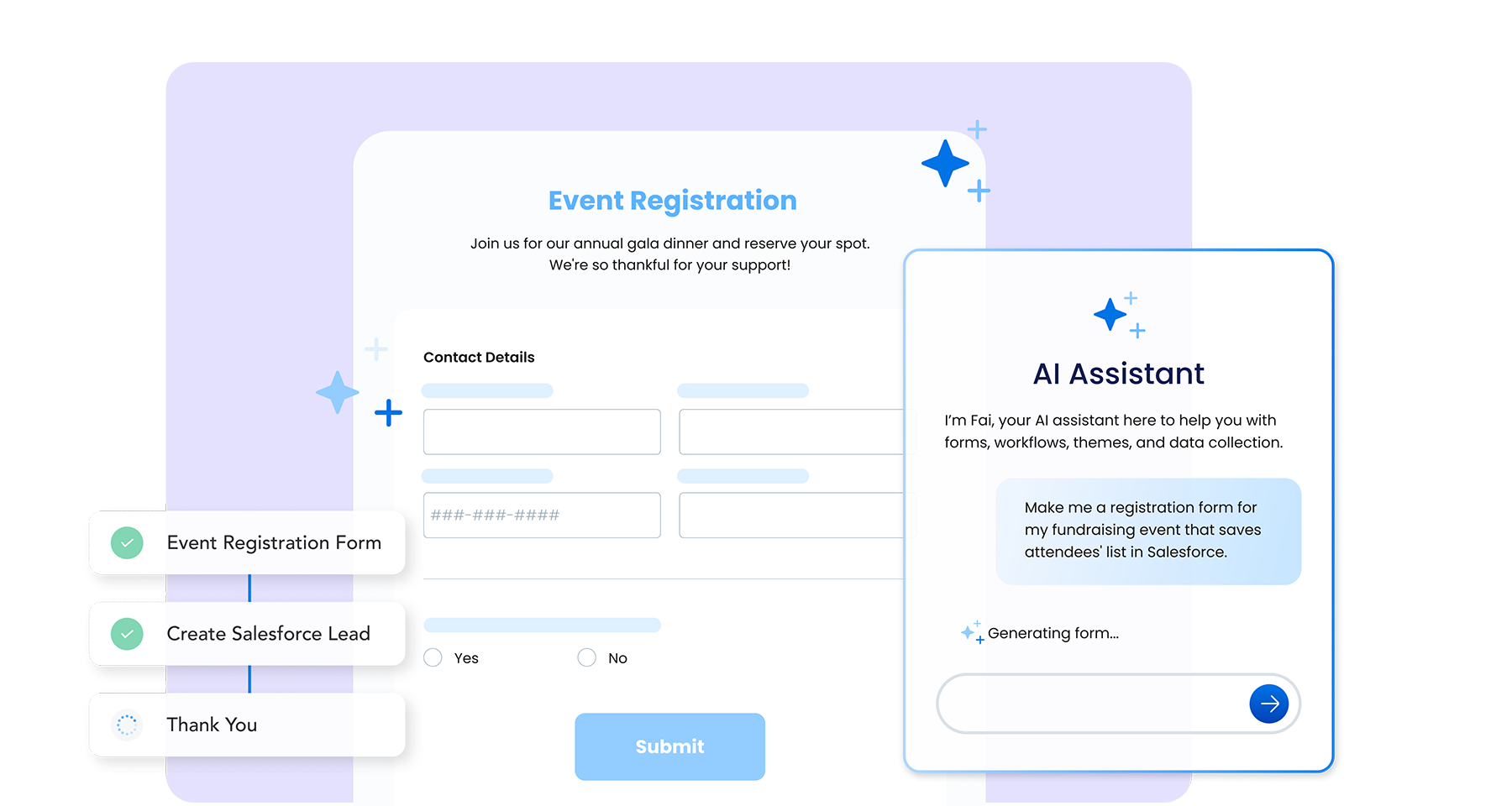
Use Case #1: Creating an Event Registration Form

Event registration forms are a common need across industries, from nonprofit organizations to higher ed institutions.

Most of these forms include standard fields – such as name, email, and attendance status. Fai knows what these standard fields are and automatically recognizes which of them should be required.

Fai also identifies helpful optional fields, like guest names or dietary restrictions, and can suggest adding them to your form.

As always, any output that Fai produces is a suggestion – if it doesn’t work for you or is not what you need, you can ask Fai to edit or remove fields, or you can hop into the form builder yourself to make changes.

Check out the demo video below to see Fai create an event registration form from nothing but a simple prompt.

Try it for yourself! Ask Fai: “Create an event RSVP form for me.”

Use Case #2: Creating a Workflow Based on Conditional Logic

Perhaps one of the most beneficial use cases that Fai can assist with is building workflows. What used to be a manual and time-consuming process can now be completed in seconds.

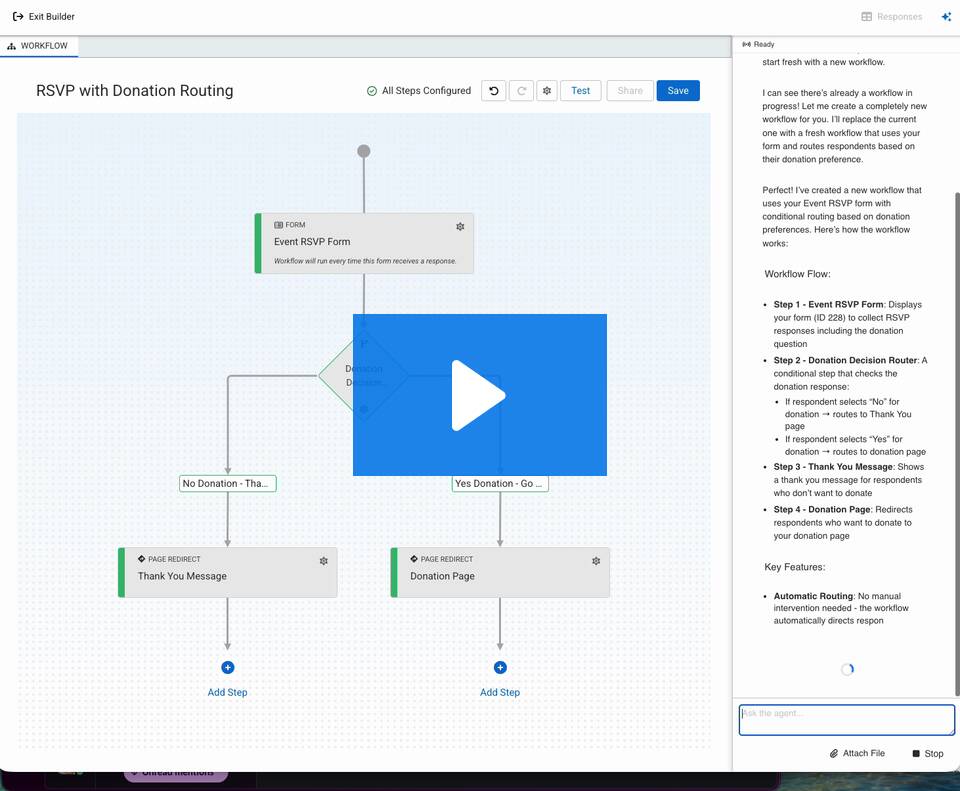
In this example, an event registration form becomes the basis for a workflow that will segment respondents based on whether or not they want to make a donation along with their registration. Fai is capable of building a workflow based on this conditional logic, starting with the event registration form it previously created, and providing two branching paths for respondents.

Check out the demo video below to see Fai create a workflow based on conditional logic.

Try it for yourself! Ask Fai: “Create a new workflow with this form. If respondents say they don’t want to leave a donation, take them to the ‘Thank You’ page. If they do want to leave a donation, take them to a donation page.”

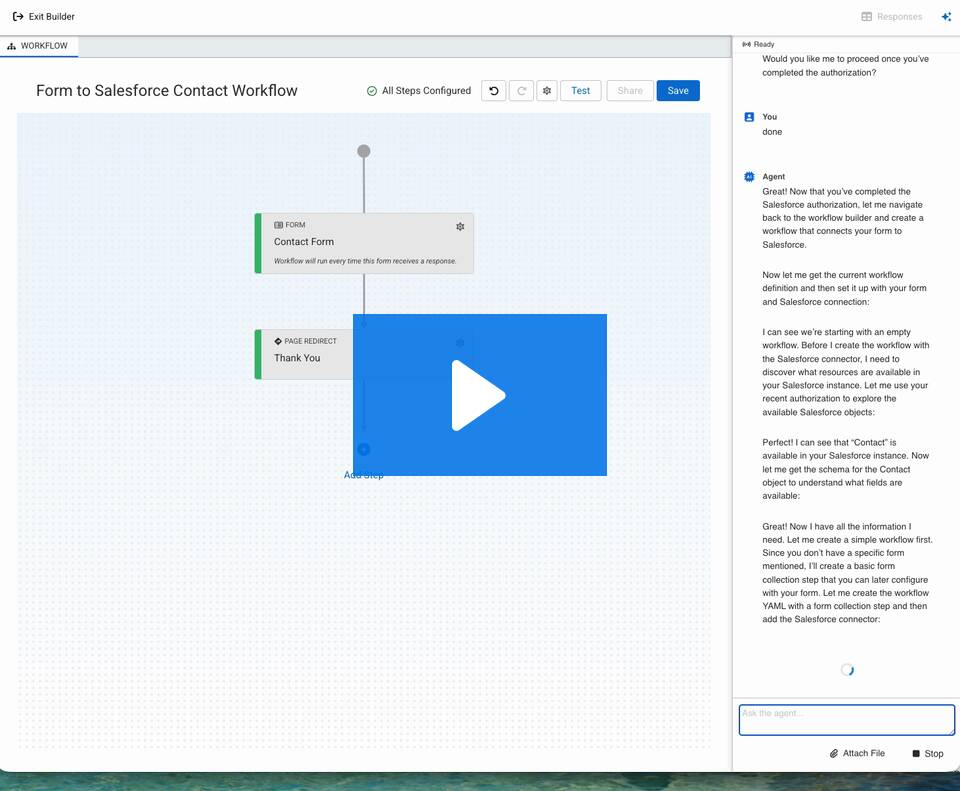
Use Case #3: Connecting to Salesforce

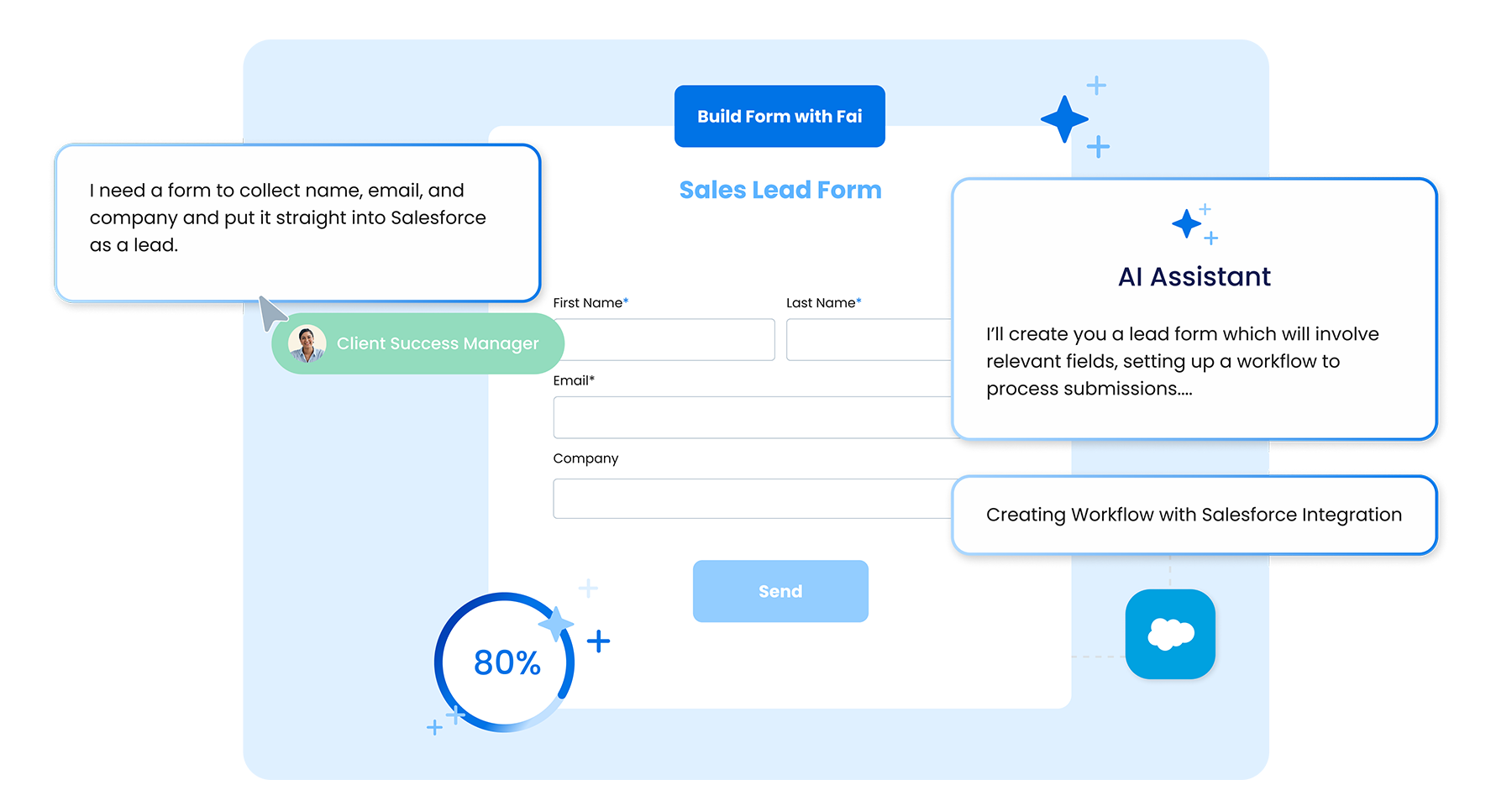
FormAssembly’s built-in Salesforce Connector is one of the platform’s most powerful benefits. With Fai, this advantage becomes even stronger – Fai automates the authentication and setup process so you can connect your Salesforce instance to a workflow in seconds.

Once connected, the Salesforce Connector validates and updates your data seamlessly, reducing the risk of duplicates and preventing disconnected records.

Note: This same process can be replicated for the HubSpot Connector.

Check out the demo video below to see Fai authenticate and connect Salesforce to an event registration form. 

Try it for yourself! Ask Fai: “Add a Salesforce connection to the most recent form I’ve been working on. I want to create new contacts or update existing ones in Salesforce when the form is filled out.”

Use Case #4: Matching a Form to Your Company’s Branding

Fai is more than a form builder and workflow creator – it’s also a designer!

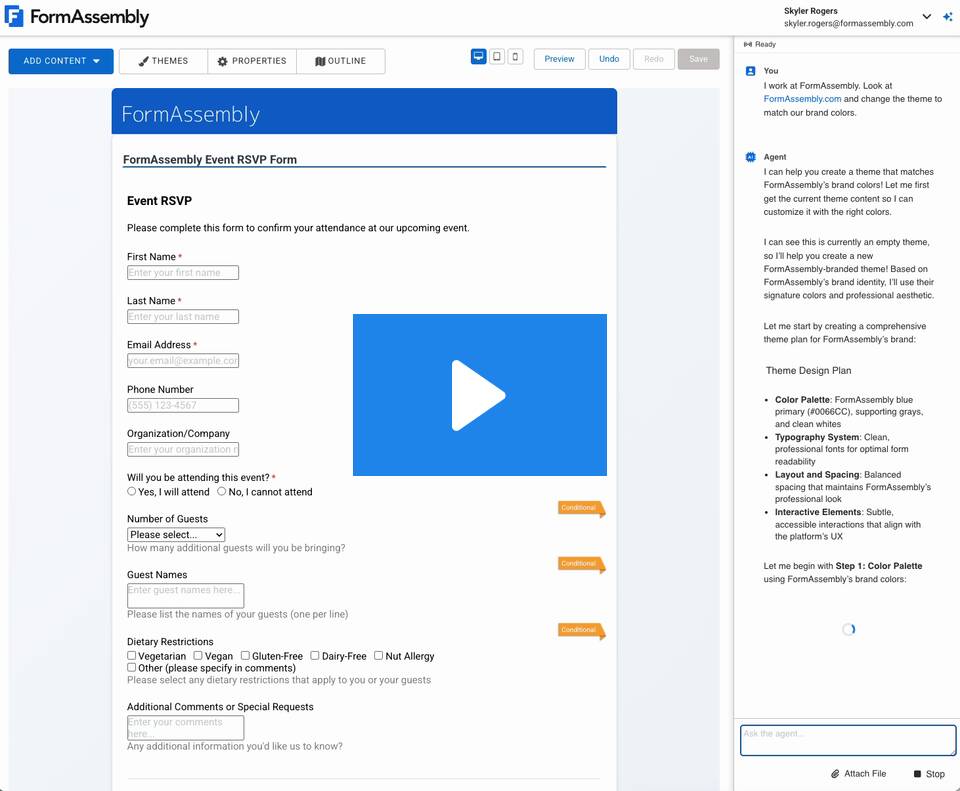
Fai can be used to match your forms to your company’s branding. You can tell Fai what fonts and colors to use based on your brand guidelines, or you can enter a prompt as simple as “Look at my website and design this form to match.”

Check out the demo video below to see Fai quickly design a form to match FormAssembly’s branding. 

Try it for yourself! Ask Fai: “Look at my company’s website and change the theme of this form to match our brand colors.”

Try it for yourself!

Fai makes data collection and automation easier than ever. Whether you need to create a basic contact or event form, a workflow with conditional logic, or connect your forms to your CRM, Fai can handle it all.

Read more about how to create effective prompts for Fai in our eBook, Better Prompts, Better Outcomes.

Ready to see Fai in action? Start a free trial now.

Marisa Hambleton
AI-Assisted Automation with a Human Touch

These days, it seems like AI is in every software product we use. However, for all the immediate benefits and potential we’re witnessing firsthand, one thing is very clear: the need for human intervention and oversight is very real.

If AI is going to drive real business outcomes, it needs to be a companion, not a controller. In fact, 60% of people say they’d like more control over how AI is used in their lives.

That’s how we approach AI at FormAssembly. We believe the best automation starts with human insight and ends with clean, compliant, and structured data you can control.

FormAssembly Atlas — and Fai, its built-in AI assistant — are built around human-centered intelligence, designed to accelerate your work while keeping you in control.

These beliefs form the foundation for the two core principles that guide how we use AI and what we promise to you: Human-Centered AI and Data Stewardship by Design. Let’s take a look.

The Principles that Guide Our AI Usage

When introducing AI into data collection, trust, transparency, and responsibility are essential. That’s why our approach is rooted in two core principles:

  1. Human-Centered AI: Fai is a built-in AI assistant designed to accelerate your work. You remain in control of output – suggestions are always transparent, editable, and optional. And when you need support, real humans on our team are ready to help.

  2. Data Stewardship by Design: Privacy, security, compliance, and governance aren’t add-ons — they’re part of who we are. Every workflow, integration, and automation built in FormAssembly protects and validates data from start to finish. Fai is designed to strengthen that effort.

Together, these principles define our commitment: to use AI responsibly, transparently, and always in service of human decision-making – never in place of it.

How AI Helps

Fai is built directly into the FormAssembly Atlas platform. It’s not a chatbot, and it’s not bolted on after the fact. It’s an embedded assistant designed to support your workflow, enhance your productivity, and keep you in control.

Every AI-generated output is adjustable and optional. You decide what to use, what to change, and what to ignore.

When you’re using FormAssembly, you can count on Fai to help you:

  • Capture clean, validated data from the start so your insights are accurate and actionable

  • Ensure compliance and security every step of the way, protecting sensitive information automatically

  • Automate complex workflows with ease, saving hours of manual effort.

  • Integrate seamlessly with Salesforce, HubSpot, and other systems so your data flows exactly where it should

  • Rely on suggestions that assist your work, not override it, so you stay in the driver’s seat

The result: fewer errors, less wasted time, reduced risk, and trusted data.

Why Having a Human in the Loop Still Matters

AI can enhance efficiency, but it can’t replace human judgment, context, or empathy. That’s why we always keep a human in the loop. When you use FormAssembly, you will always have access to a human you can reach out to with questions or for support. Having a human in the loop isn’t about monitoring AI – it’s about leading it. It means pairing technology that moves fast with people who move thoughtfully, all in the pursuit of collecting clean data that can be acted on.

Data You Can Use

Messy, unstructured data slows everything down. It adds risk, causes confusion, and makes it harder to trust your results. Missing fields, unsecured inputs, and manual workarounds not only waste time but also lead to compliance issues and unreliable outcomes.

FormAssembly helps you fix data chaos at the source. With Fai, you can capture clean, complete information from the start, know it’s validated and secured in real time, and trust that it’s delivered exactly where it belongs.

With structured, compliant, and AI-ready data at your fingertips, your team can automate complex workflows, spend less time fixing errors, and connect effortlessly with Salesforce, HubSpot, and other key systems.

The Power of AI With a Human Touch

FormAssembly combines transparent AI that accelerates your work with enterprise-grade security and human guidance. With Fai and a human in the loop, you can move fast, stay compliant, and make your data work for you – safely, intelligently, and with confidence.

Want to learn more? Book a personalized demo or start a free trial today.

Marisa Hambleton
Meet FormAssembly Atlas

Every business needs to collect data. But in today’s world, volume, speed, and security matter more than ever.

If you’ve ever spent hours – or even days – building forms, setting up workflows, and connecting systems manually, you’re not alone. Traditional data collection tools weren’t designed for today’s complexity, and they definitely weren’t designed for the era of AI.

That’s where FormAssembly Atlas comes in.

Atlas is an enterprise platform built for modern data collection needs. Whether you’re building one form or orchestrating a multi-step workflow across systems, Atlas gives you everything you need to move faster, stay compliant, and scale securely.

What is FormAssembly Atlas?

FormAssembly Atlas is the next generation of enterprise data collection and automation. It’s a smarter, faster, and more flexible way to capture and connect your most important data – powered by built-in AI and backed by enterprise-grade security.

Atlas includes:

  • FormAssembly AI (Fai): Your built-in, agentic AI assistant for faster, guided workflow creation

  • A new connector architecture: Designed to give you more control over data integrations 

  • Compliance guidance: Built directly into your workflow-building process

  • Enhanced customer support: Instant help from Fai, with humans ready to assist whenever you need them

Atlas makes data collection and automation seamless – and with Fai, it is faster and easier than ever to create the forms and workflows you need to keep your business moving forward.

Modern Data Collection, Redefined

Atlas is designed to help you collect, connect, and control AI-ready data with greater speed and confidence.

With Fai built-in, you can:

  • Instantly create branded, compliant forms

  • Automate complex workflows

  • Connect clean, structured data across your tech stack

There’s no need for development resources or delays caused by manual work. Atlas gives you smarter, faster data collection from the start.

Here’s what you can expect with Atlas:

  • Scalable infrastructure built for enterprise performance and reliability

  • Unified interface for forms, workflows, and integrations

  • Flexible connector architecture for seamless automation

  • AI-assisted adoption with intuitive design and guided setup

What Makes FormAssembly Atlas so Powerful?

Fai: Your AI Assistant

Fai is more than an AI helper – it’s your autonomous assistant, built directly into FormAssembly Atlas. With just a few prompts, Fai designs entire workflows, connects them to your systems, and provides real-time guidance on compliance and optimization while keeping you fully in control at every step.

With Fai, you can:

  • Accelerate setup: Describe what you need in plain language and Fai instantly builds the forms, workflows, and integrations to match.

  • Maintain compliance: Get AI-assisted checks for HIPAA, GDPR, FedRAMP, and other requirements.

  • Gain insights: Summarize responses, surface trends, and turn raw inputs into actionable insights.

  • Automate workflows: Configure complex logic, routing, and automation steps with intelligent guidance.

FormAssembly puts you in control. With Fai, there are no black boxes or hidden logic. Every AI action is transparent, explainable, and easy to adjust. You can pause or disable AI support at any time and continue working seamlessly within the Atlas platform.

Smarter Connector Architecture

Atlas gives you complete control over how data flows across your systems. The new connector architecture simplifies even the most complex integrations, so you can move data securely and efficiently, without extra coding or manual work.

You can:

With a modern UI, smarter data mapping, and advanced automation logic, it’s easier than ever to deliver clean, structured data where it needs to go. 

Intelligent Security and Compliance

Atlas is built on AWS’s trusted infrastructure and backed by decades of enterprise data governance experience. Fai adds a proactive layer of security intelligence, giving you real-time guidance that helps you stay compliant without slowing down.

You’ll benefit from:

  • Data encryption in transit and at rest

  • Role-based access controls and user permissions

  • Secure file scanning and intelligent data masking

  • Compliance with HIPAA, GDPR, CCPA, TX-RAMP, FERPA, and FedRAMP Authorized (High)

  • AI-driven compliance insights that help reduce risk exposure

The Future of Data Collection is Here

With FormAssembly Atlas and Fai, you can finally say “goodbye” to manual form building and “hello” to the future of data collection and automation. 

Transform your processes into an AI-powered automation engine that instantly creates branded, compliant forms and workflows, sending clean, structured data directly to the systems your business depends on.

Interested in learning more? Book a personalized demo of FormAssembly Atlas or start a free trial today.

Marisa Hambleton
Your Team Has So Many Document Management Tools, That it's Getting Hard to Manage Documents.

Despite all the technological advancements we’ve witnessed (see: Agentforce’s robots with human-like reasoning), we’ve found that automating paperwork itself remains a persistent challenge for teams everywhere. 

Why? Because most document management solutions don’t address the core issue: fragmentation.

The typical document workflow is a patchwork of disconnected tools. One app for document creation, another for workflow automation, and yet another for signatures, all sending and receiving data from multiple sources—it’s a lot to control. 

Each of these tools is powerful in isolation, but together they create complexity, sap resources, and leave everyone asking, "It’s 2025. Why does this feel harder than it should?"

If you’re reading this you undoubtedly understand the importance of eliminating clunky, patchwork soutions. So while I won’t bore you with that explanation, I will arm you with the information you need to make that case for others.

The hidden challenge of fragmentation: What’s underneath the iceberg?

In the realm of SaaS expenditure, a concerning revelation has come to light: an estimated 41% constitutes overspending.

For document management, this overspending is compounded by rate hikes at renewal, seat-based pricing structures, and all-but-required features locked behind premium tiers. 

Inflated budgets are only the tip of the iceberg. SaaS fragmentation, or tech debt, brings deeper, systemic issues that go beyond runaway IT costs:

  • Compliance Risks: The proliferation of disparate applications accessing sensitive data introduces complexities in regulatory adherence. 

  • Operational Drag: Disruptions arise from the influx of uncoordinated solutions, leading to integration challenges and decreased efficiency. 

  • Inaccurate Data: Fragmentation creates silos, and silos breed errors. Mismatched data between tools erodes trust and creates rework, undermining confidence in the system.

  • Missed Opportunities: Slow, cumbersome processes prevent businesses from capitalizing on opportunities in real-time. Whether it’s closing deals faster or onboarding new clients more efficiently, fragmentation stifles growth.

The result? A business that moves slower, makes mistakes more frequently, and loses its competitive edge.

The Allure–and Pitfalls—of Document Band-Aids

The path toward vendor sprawl is paved with good intentions. More often than not, it builds up as a result of trade-offs—conscious or unconscious—that prioritize immediate results over long-term efficiency.

They start out innocently enough—just a quick fix to get around a current hiccup. But technical debt is like financial debt: manageable in the short term, but costly over time with unusual staying power.

You Might Have a Problem If:

  • Complexity is multiplied: Every new tool adds another layer of complexity, particularly if integration issues exist. Every new feature, update, or scaling effort becomes harder and even small changes require disproportionate effort. Poor documentation from vendors and solutions that require you to hire a consultant or become your own “internal consultant” compound the issue.

  • You’ve got system bloat: “Band-aid” solutions may live on long after the urgent need has passed, living in the production environment. Or, they can become institutionalized—becoming deeply entrenched in the business and processes with no clear exit plan. In either case, you might feel like things aren’t running as fast as they should. 

  • All hands on deck, all the time: The different tools powering your document workflow stack are continuously suffering interoperability issues, bugs multiply, and integrations break, creating a never-ending “crisis de jour” for tech teams. Energy is spent managing tools and putting out fires, diverting resources from higher-value initiatives. 

It is difficult (if not impossible) to adapt quickly if we are weighed down with complex processes and systems. Yet, there are plenty of obstacles stopping teams from getting to the ideal state of automation: lack of IT resources, cost of solutions available, and of course, the mental block. 

There are always decision-makers with the mindset “but we’ve spent so much on it for all these years.” This is like hanging onto our Blockbuster stock from 1999 hoping it hits $1000 again—unlikely. Worse than that, the bad investments actively choke out the good projects, resulting in a degradation of organization-wide transformation.

There’s also the “this is how we’ve always done it” mindset. This will delay transformation, while surreptitiously delivering a breathtaking price tag. It’s not 1999; it’s time to take a different approach.

Rethinking Document Workflows: Because the “Old” Approach Is Broken and Costly

We have a lot of respect for the engineering behind some of the leading solutions out there, like Conga, DocuSign, Formstack, and Adobe. But at the end of the day, they either require far too much effort to get up and running and/or their functionality and pricing models hinder scalability.  

It’s created a status quo where teams are wasting too many resources stitching, setting up, and paying for multiple tools to complete a single document workflow process in Salesforce. 

It doesn’t make sense, so it’s time for all of us to decide to do something different.

Talk Minus Action Equals Zero

So, Arcsona and airSlate are joining forces to solve this problem—not with another patch, but with a truly all-encompasing document workflow solution wherein no-code automation, DocGen, web forms, eSignature, contract negotiation, and PDF editing all live in concert with Salesforce and your other day-to-day systems. 

airSlate + Arcsona: The Smart Age of Salesforce Documents is Here 


airSlate is one of the leading eSignature and no-code document workflow automation solution providers, with 1.2M+ customers worldwide.

Our flagship product, airSlate WorkFlow, eliminates the need for disconnected tools by combining document generation, contract negotiation, eSignatures, PDF editing, web forms, and no-code workflow automation into one seamless solution.


Here’s what WorkFlow enables:

  • Generate actionable PDFs, HTML, Spreadsheets, and .docx documents pre-filled with Salesforce data.

  • Establish conditional routing for documents between contacts including internal and external recipients.

  • Save signed documents to Salesforce attachments or external services.

  • Generate batches of documents on a set schedule and send them out with a single click.

  • Easily populate documents with data from your standard and custom records, parent relations, related lists, or indirectly related records.

  • Create new or update existing records based on data entered into a document's fillable fields.

  • Change the status of Salesforce records and trigger actions in Salesforce based on actionable data in the documents.

  • Eliminate data silos by integrating across separate storage systems: Google Drive, SharePoint, OneDrive, and others.

Arcsona is a Salesforce Consultancy that’s built a reputation for doing one thing well: developing high-impact CRM solutions that ignite business growth.

We’re combining our zones of expertise to give Salesforce teams everything they need to connect documents, data, and integrate systems so that they can finally eliminate cost and complexity, and operate as a modern, digital enterprise.

This holistic approach is what brings us side-by-side, co-sponsoring Cactusforce together. And we’ll be the first to say it—this kind of collaboration is rare. 

For us, it’s not about scanning cards and handing out tchotchkes (although, we do have an incredible top-shelf giveaway we’re offering). We’re here to start a conversation about what’s possible when document workflows are designed with people—not just processes—in mind. And, we want you to walk away with tactical advice you can implement immediately to level up your workflows.

Unified Document Workflows: Finally, Getting to the Ideal State of Automation 

Research indicates that for every $1 spent on their CRM, companies get $8.71 return. However, the ROI doesn’t happen by itself. You have to put your CRM and business apps to work. Our charter is to help you do that. Here’s how:

  1. airSlate WorkFlow combines multiple tools in one, right out of the box: no-code workflow automation, document creation, PDF editing, web forms, contract negotiation, and eSignature. 

  2. Because WorkFlow is a Salesforce-native app, with no-code functionality and a drag-and-drop interface, most companies can set up and go live in an afternoon, rather than the 4-8 weeks that is usually involved with Conga. In fact, Salesforce teams can get up and running up to 10x faster than with competitor solutions. And, later changes to configurations involve just an hour by the SF Admin (rather than days or weeks by the Conga consultant).

  3. As well as having the same rich feature set, WorkFow costs are also dramatically cheaper than leading competitors such as DocuSign and Adobe (with most customers realizing a 40% savings).

  4. Its more extensive functionality will allow you to build automation and fast-to-use Salesforce solutions for users that will reclaim 3 hours of the work day and up 40% of the hours previously spent on admin work. 

In all, airSlate and Arcsona help you realize time to value up to 10x faster—within days, rather than up to weeks or months—and we find that teams, on average, experience a 40% improvement in ROI. The numbers don’t lie, that’s a serious gain. 

Ready to finally save on your eSignature and document management expenses? Meet airSlate and Arcsona at Cactusforce to learn more, or visit Arcsona’s website.

Marisa Hambleton
The Rise of AI Agents in Salesforce: Building them 90% faster.

The integration of Artificial Intelligence (AI) into the Salesforce platform is reshaping how businesses operate, offering new opportunities for automation, efficiency, and personalized customer experiences. At the heart of this transformation is Salesforce Agentforce, an AI-powered platform that enables agents to reason, plan, and execute complex tasks autonomously. These agents go beyond traditional chatbots to function as virtual employees, revolutionizing the way businesses engage with customers and streamline internal operations. 

In this blog, we’ll explore how AI-powered agents are transforming Salesforce processes, dive into the practicalities of implementation, and provide insights on how tools like Elements.cloud accelerate the development of agents that are accurate and consistent. 

What sets AI Agents apart? 

AI agents distinguish themselves from conventional chatbots by combining conversational capabilities with the ability to execute complex workflows. While chatbots often frustrate users with their reliance on static decision trees, agent reasoning can take instructions, leverage real-time data, and deliver data-driven actions directly addressing the user’s query. Furthermore, agents provide accurate outcomes and increase customer service efficiency. 

Consider the scenario of a customer service agent handling customer queries about product orders. An AI agent can retrieve order details, process refunds, reschedule deliveries, and escalate issues to human employees when necessary. This blend of 

automation and human intervention, when needed, ensures that tasks are completed effectively while maintaining a positive customer experience. 

For businesses, the benefits extend beyond efficiency. AI agents serve as brand ambassadors, creating consistent and professional customer interactions that enhance customer satisfaction and loyalty while aligning with broader business goals and delivering valuable insight. This allows organizations to optimize operations and refine growth strategies.

Understanding Agentforce 

Salesforce Agentforce is a comprehensive platform for building and deploying AI agents. It integrates deeply with Salesforce’s existing tools and infrastructure, including Data Cloud, enabling seamless access to organizational data. This foundation allows AI agents to operate across sales, service, and internal operations and support various business functions. 

The platform is built around the concept of metadata reuse. Each agent is structured as a collection of topics, with each topic representing a job to be done (JTBD). By focusing on clearly defined topics, organizations can start small and expand their agents’ core capabilities over time. This iterative approach reduces implementation risks while delivering measurable value at every stage. 

Building an AI Agent with Agentforce 

Creating an AI agent requires a systematic, step-by-step approach. The process begins with identifying a clear use case—such as automating routine customer service inquiries or streamlining an internal HR process—and designing a process that addresses this need. 

To ensure success, it’s critical to document processes thoroughly. Universal Process Notation (UPN), a streamlined process-mapping methodology, is a valuable tool for this stage. UPN diagrams provide a clear, hierarchical view of workflows, making it easy to identify bottlenecks and automatically generate the instructions for the agent to succeed, and the user utterances for testing. 

Once the design phase is complete, Agentforce’s low-code tools, such as Agent Builder and Prompt Builder, enable quick development and deployment of the agent. By leveraging existing metadata—such as Flows, Apex, and Prompt 

Templates—organizations can accelerate implementation and ensure consistency across their Salesforce environment. 

Here’s an example.  

  • From idea to live in production in under a week. 

  • Agent is working reliably. 

  • Version controlled. 

  • It's an internal agent so it isn't $2/conversation, but covered by Einstein add-on license.

  • Built by Elliot Parker who's been at Elements.cloud 3 months, straight out of college with a degree in "International Business".

This 26-step 5-action Agent has it all: Record retrieval. Validation. Unstructured text analysis. Role playing. Coaching. Results scoring. Record creation.  

How we built it is in this 4min video 

https://www.youtube.com/watch?v=w2uTGom5lZE&feature=youtu.be 

Why metadata matters 

Metadata is the backbone of any Salesforce implementation, defining how objects, fields, and processes interconnect. For AI agents, metadata serves as the blueprint that dictates what actions an agent can perform, how it interacts with other systems, and how it delivers value to the business. 

Clean, well-documented metadata is critical for successful agent implementation. Poorly managed data or undocumented changes can lead to inefficiencies, errors, and system failures. Tools like Elements.cloud help organizations maintain metadata quality by providing a centralized platform for documentation, dependency mapping, and impact analysis. 

Accelerating Agentforce with Elements.cloud 

Elements.cloud is the only tool that supports the entire Agentforce lifecycle, ensuring they are well-documented and scalable. 

By offering features like process mapping with control, and metadata dependency tracking we enable teams to manage changes confidently. For example, UPN diagrams created within Elements during the design phase are the design for agent workflows, by automatically generating the agent instructions and test scenarios. Additionally, we allow organizations to assess the impact of proposed metadata changes, ensuring that modifications align with business goals and set a standard for business efficiency without disrupting existing functionality. 

Use cases and business impact

AI-powered agents offer immense potential across a wide range of domains. Autonomous agents have advanced reasoning abilities, which help them understand the customer’s query and provide accurate outcomes. In customer service, they can automate routine inquiries, providing quicker responses and freeing human agents to focus on complex issues. Internally, AI agents can streamline HR tasks such as employee onboarding or leave management. In sales, they can provide real-time insights, helping representatives tailor their pitches to individual prospects. 

The modular nature of Salesforce Agentforce ensures scalability. Organizations can start with narrowly defined tasks and expand their agents’ capabilities over time to provide always-on support. This iterative approach reduces risk and ensures that the solution evolves alongside business needs. 

Getting started with AI Agents 

Implementing AI agents may seem daunting, but a structured approach can make the process straightforward and effective. Below is a detailed guide to help you get started: 

Assessing readiness 

Before diving into implementation, evaluate your organization’s readiness. This includes ensuring that you have: 

  • Well-documented business processes that clearly define the workflows the agent will support. 

  • High-quality, clean data. Poor data can undermine agent performance, leading to inaccuracies and end user dissatisfaction. 

  • Robust metadata management practices. Understanding how metadata elements are structured is essential for designing effective agents. 

Selecting a use case 

Choose a simple, high-impact use case for your first AI agent. This could be a routine customer service task, such as handling customer inquiries about order statuses, or an internal process like employee leave management. Starting small allows you to test the waters, learn from the experience, and refine your approach before scaling up. 

Designing the agent 

The design phase is crucial for minimizing risks and ensuring success. Use UPN to map out workflows and define the agent’s actions. UPN diagrams provide a clear visual representation of the process, making it easier to understand how to build and test the agent.

Elements AI can accelerate the design phase. It can: 

  • Map the UPN process diagram from org metadata, a sketch, diagram, or document 

  • Validate the UPN process diagram and suggest improvements 

  • Write the agent instructions and guardrails 

  • Create user stories for actions 

  • Identify existing metadata to support actions or suggest new metadata

  • Take a snapshot to build the change log 

  • Create test utterances for the potential paths through the process 

Building and deploying 

With the design in place, Salesforce’s low-code builder tools can be used to create and deploy the agent. Based on the output from the design phase this is quick and easy. Start with a single topic and focus on delivering measurable outcomes. By linking the agent to existing metadata, such as Flows or Prompt Templates, you can accelerate development while maintaining consistency. 

The process diagrams assist troubleshooting during testing, and changes can be quickly made to the diagram and then reimplemented in the agent. This accelerates deployment and improves agent accuracy. 

Monitoring and iterating 

Once the agent is live, monitor its performance closely. Analyze interaction data to identify areas for improvement and refine the agent’s capabilities. Use user and customer feedback to guide future enhancements that are implemented in the diagram. 

As you gain confidence in your AI agent’s performance, begin scaling its capabilities. Introduce new topics to address additional tasks or extend the agent’s reach to other areas of the business. By building on a solid foundation, you can ensure that your AI agents continue to deliver value as your organization’s needs evolve. 

Download the ebook 

  • Understand What AI Agents Can Do: Explore how AI Agents enhance workflows, handle complex tasks, and deliver better user experiences. 

  • Learn How to Build Effective AI Agents: Follow a step-by-step guide to designing, deploying, and scaling agents that align with your business needs. ● Implement with Confidence and Control: Adopt proven strategies for process design, data governance, and iterative development to ensure success at scale.

Download ebook  

https://elements.cloud/whitepapers-ebooks/ultimate-guide-to-creating agents/ 

In summary 

AI agents in Salesforce are more than a technological innovation—they are a strategic advantage. By combining the power of Agentforce with tools like Elements.cloud, organizations can accelerate the deployment of agents. These will streamline operations, enhance customer experiences, and unlock new opportunities for growth. 

The path to successful AI agent implementation begins with thoughtful planning, robust documentation, and a willingness to iterate and improve. With the right approach, your organization can embrace the future of intelligent automation and achieve transformative results. 

The future is here, and AI powers it. Start building more innovative processes and creating transformative experiences with Agentforce and Elements.cloud today.

Author: Ian Gotts

Marisa Hambleton
Cactusforce is next week!

Speakers

Have you checked out this year’s speaker lineup?! The Agenda is packed with lots of great workshops and sessions. Bring your laptops! Thursday is an afternoon of workshops, hands-on training sessions. Friday, we’re starting the day with Agentforce for Developers!

Talks were selected based on their educational value to attendees. Sponsored talks include product details along with take-aways or learning. Talks often show off an org, or working through code in an IDE. Speakers love to show how and why they designed and built their solutions. 

Live Stream

Friday sessions will be recorded and available for free access after the event. Thursday workshops are exclusively for in-person attendees and will not be recorded.

For sessions in Building 1, simple setup is required to stream session. Speakers will need to join the SteamYard Live Stream for their session. Cactus Crew members will be on hand and volunteer Room Monitors will assist with:

Have you heard of Agentforce?

Thanks to the wonderful employees who are bringing us three (3) 90-minute hands-on workshops!

Already registered?

Make sure you download or sign into Whova to interact with fellow attendees, sponsors, and speakers. Interact with speakers using the Chat feature or respond to session polls. Join discussions on the community board.
 

Schedule

  1. Registration opens at 11:00 AM on and 8:00 AM on Friday

  2. Welcome Celebration is from 5:00 PM to 6:00 PM Thursday in Building 3, Synergy II

  3. Closing Reception is from 5:00 PM to 6:00 PM

  4. Agentforce workshops are 90 minutes. Sessions are 50 minutes. You’ll have 10 minutes between sessions for session setup. 

  5. 602 Lightning Talk session slots are at 11:00 AM and 1:00 PM

  6. Demo Jam will be held during lunch from 12:15 PM - 12:45 PM


Learn about new AppExchange apps

We love to show-off our sponsors lots of love! This event is not possible without their generous support. Make sure to stop by and learn about their products.

Dedicated Expo time will be in Building 3 - Synergy II during registration from 11 AM - 12:30 PM on Thursday. Friday, during breakfast, at lunch, and during the closing Reception. The virtual expo will be available throughout the day so remote attendees can peruse the virtual booths.

Trailblazer Community

We were a community long before we were a conference. Cactusforce is a community-led conference for Salesforce developers, architects, and admins. Our primary audience is experienced Salesforce professionals who have worked designing, developing, coding, configuring, and performing similar roles for several years. Most attendees are advanced in their respective areas and looking to engage with peers.

Architect Dreamin’

We pulled a seat up to the table for our friends, ’ for their U.S. inaugural event. Check out their speakers, agenda and CTA-count!

Thank you for helping us continue our tradition: awesome content and an awesome tee! Spread the word and tell your friends about Cactusforce. Help us bring some of our desert southwest sunshine to the world. 


Follow us and share on LinkedIn!

#Cactusforce25

Marisa Hambleton
How To Create Salesforce Test Cases With Testsigma

Introduction

Keeping the custom Salesforce application stable and functional is critical to any organization as they heavily rely on it for crucial business operations. And rigorous testing is the only way to ensure that the application is working as expected.

In this blog, we will discuss how to create Salesforce test cases using Testsigma to automate Salesforce testing, ensuring the application is functional and bug-free.

Testsigma - 10x Faster Codeless Test Automation Built For

Salesforce Testsigma is a no-code GenAI-powered test automation platform that allows testers to automate Salesforce testing without writing any code. So, how do you create tests without code scripts?

With Testsigma, you can create Salesforce test cases using plain English statements using Debug & Record or the NLP engine. Yes, it is as simple as that. All you have to do is connect your Salesforce instance with Testsigma.

Testsigma is a unified testing platform that supports web, mobile, desktop, API, and Salesforce testing in the same platform. You can automate the end-to-end of any application type using codeless testing powered by GenAI for faster and more efficient testing.

The next obvious question is, 'How do we create automated Salesforce test cases with Testsigma?'

How To Create Salesforce Tests Using Testsigma

You can quickly create reliable Salesforce test cases using Smart NLPs or Debug & Record. A quick overview of how to automate Salesforce tests using Testsigma,

Step 1: Create a free Testsigma account to access the cloud platform here: https://testsigma.com/signup

Step 2: Create a new project by navigating to Project -> New Project on the platform.

Step 3: Enter the project details and select Salesforce from the application type.

Step 4: You will now be directed to the Salesforce connections page, where you can securely connect Testsigma with your Salesforce instance using Salesforce Metadata and APIs.

Note: You can edit or refresh your Metadata connection later. Also, you can add users by using the User Connection prompt.

Step 5: Once the sync is complete, you can start creating test cases using Create Test Case. You can use the NLPs or Debug & Record to create test cases.


How to create Salesforce test cases with Testsigma


Step 6: Once test cases are created, execute them using the Run button.

 
Automated Salesforce testing with Testsigma

Automated Salesforce testing with Testsigma


Note: You can easily manage Salesforce element repositories before or after test case creation.

What Makes Testsigma The Best Platform For Salesforce Testing?

Be agile and automate your entire testing lifecycle from development to production. With Testsigma, you can scale and enhance your Salesforce testing. How? Let's break down the key features,

No-code test creation: Create reliable Salesforce test cases using plain English statements.

Zero setup: Connect Testsigma with your Salesforce instance with just a few clicks using Salesforce Metadata and APIs.

Special NLPs: Testsigma supports special NLPs that are specific to Salesforce applications that help reduce test authoring time by 50%. These NLPs were precisely developed to address the challenges in Salesforce testing by leveraging Salesforce's synced Metadata.


Salesforce test automation


Error Handling: With Metadata refresh, the platform identifies the potential causes of the test failures due to Salesforce organization structure updates

Test across environments: Test across different Salesforce Developer Sandbox - Developer Pro, Partial Copy, and Full Sandbox

10x faster: Create and run automated tests 10x faster on the cloud infrastructure.

AI-driven maintenance: Auto-healing automatically adapts to any element changes whenever the application undergoes updates.

Parallel testing: Run multiple tests on various test environments for faster releases and shorter test cycles.

Real device cloud: Automate your tests across 3000+ real device/browser/OS combinations on the cloud.

Key Takeaways

Leverage Testsigma to:

1. Enhance and scale your Salesforce testing process from development to production.

2. Make Salesforce testing accessible to testers, developers, Salesforce platform managers, stakeholders, and everyone involved in the project using codeless automation.

3. Save time, effort, resources, and costs involved in testing.

Marisa Hambleton
Test Automation for Salesforce with Testsigma: Deep Dive

Salesforce is a global leader in CRM due to its extensive features, functionality, integrations, and reliability. Ever wonder what would happen to your sales, marketing operations, or customer lifecycle if your Salesforce application crashes? No business wants that nightmare.

So, how do you ensure your Salesforce application is intact without having to worry if it crashes? By robust testing. How do you perform testing efficiently? Using the right Salesforce testing tools. Let's discuss.

Testsigma - A codeless test automation platform built for Salesforce

Testsigma is a robust no-code GenAI-powered test automation platform that allows testers to automate Salesforce applications on the cloud without writing any code scripts.

Test automation for Salesforce has always been a daunting task for Salesforce testers due to the complex nature of the Salesforce ecosystem, such as shadow DOM, dynamic elements, frequent updates, etc.

Testsigma simplifies Salesforce test automation with codeless and GenAI-powered testing. QA testers can easily create, run, and maintain automated Salesforce tests using plain English statements with the help of Testsigma Recorder or NLP engine. Let's break down why Testsigma can be the right choice for automating your Salesforce testing.

Why Testsigma Can Be A Perfect Tool For Automated Salesforce Testing

Using Testsigma, you can efficiently validate your Salesforce customizations,

integrations, and configurations. It provides a simple and intuitive user interface to test Salesforce apps. Let's discuss its key features in detail.

Codeless Salesforce test automation

  • Firstly, testers do not have to code. This would save a lot of time, effort, and cost.

  • Use no/low-code techniques to create Salesforce test cases

  • Salesforce testing is made inclusive by making it accessible for everyone, including technical and non-technical people such as testers, developers, Salesforce platform managers, stakeholders, and everyone else involved in the project.


Salesforce Test Automation Using Testsigma


AI-Driven test maintenance

  • Auto-heals all standard and LWC elements to prevent false test failures.

  • Automatically adapts to element changes whenever the Salesforce undergoes updates

  • Handles changes by identifying Salesforce components using reliable locators 10x Faster Testing

  • Makes your overall test automation process 10x faster in terms of test creation and execution.

  • Effortlessly run Salesforce regression tests in a single click by rerunning the regression test suites.

  • Create, run, and manage test cases on the cloud without spending time on setup or infrastructure.

  • Supports parallel testing for faster test execution, thereby speeding up release cycles.

  • Test continuously by integrating your automated Salesforce tests into your existing CI/CD and DevOps pipeline.

Get Significant Test Coverage

  • Use Testsigma Copilot, a GenAI assistant for Quality Engineering teams that generates automated test cases and test scenario suggestions based on user prompts.

  • Test your Salesforce apps on 3000+ real devices/browsers/platform combinations on the cloud.

  • Test using real data using automated data-driven testing by using multiple real-time auto-generated data.

  • Test across multiple Salesforce Developer Sandbox - Developer Pro, Partial Copy, and Full Sandbox.

Key Takeaways

A balance of human and automated testing is required to ensure your Salesforce application is stable and error-free. That said, for automated testing - choosing the right test automation tool is essential. By automating the right tests (repetitive and time-consuming ones), testers can then focus on more critical tasks that need manual intervention.

Marisa Hambleton
How Is A No-Code Testing Tool Like Testsigma Revolutionizing Salesforce Automation Testing?

Salesforce, which is known for its complexity and frequent updates, makes Salesforce testing a crucial yet daunting task for Salesforce testers when done manually. However, automation can make the work easier, more efficient, and faster. Here, we will discuss how Testsigma, a no-code test automation tool, is revolutionizing Salesforce automated testing.

The Evolution of Salesforce Testing

Before we get into the nitty-gritty of the product, let's discuss how Salesforce testing has evolved these days and the need for automation,

Shift to automation

Test automation is crucial to any testing strategy. What makes organizations shift towards automation? Let’s see:

  • Complexity of Salesforce use

  • Increase in customizations

  • Seasonal updates every year (Three major releases - Spring, Summer, and Winter)

  • Complex DOM structure

  • To maximize test coverage

  • Too many test cases and scenarios

Embracing Salesforce testing tools allows organizations to test their Salesforce customizations and integrations with increased test efficiency and speed.

Automation also eliminates the risk of manual errors and helps ship applications that are high in quality.

Increasing complexity

With the increase in the number of customizations and integrations Salesforce offers its users - the number and complexity of test cases have also increased, making Salesforce tests more complicated for QA people.

Test coverage gaps

Automation helps you cover a wide variety of scenarios, including edge case scenarios, unlike manual testing. This helps you identify bugs at the earliest before it impacts the end user.

Continuous testing

Integrate your automated tests into your existing CI/CD and DevOps pipeline. Continuously testing after every build allows developers and testers to share feedback on code faster and speeds up the bug-fixing process as well. Ultimately, the time-to-market is significantly reduced.

Faster regression testing

Salesforce regression testing is one of the most crucial testing that must be performed after every official update, release, code change, bug fix, new customization addition, etc. This helps ensure the Salesforce instance remains intact even after any change is done in the code.

Automated Salesforce regression testing automates this process by rerunning the test cases every time there is a change. This hugely saves manual efforts, time, cost, and resources.

Using realistic test data

It is not possible to test the product manually with several test data. However, automated data-driven testing is a technique that allows business to test their applications using auto-generated test data, thereby helping cover most scenarios with valid and invalid data.

As discussed above, Salesforce testing has evolved in so many ways with the rise of automation and AI. Here, we will discuss how Testsigma, an automated Salesforce test automation tool, is breaking the traditional barriers by making Salesforce testing simple, efficient, and accessible for everyone.

Democratize Salesforce Testing With Testsigma

Testsigma is a robust cloud-based, unified, no-code GenAI-powered test automation platform that allows QAs to automate Salesforce testing in plain English without requiring any coding expertise. Not just Salesforce apps, you can automate web, mobile, API, and desktop apps in the same place. How Testsigma simplifies Salesforce test automation,

  • No coding required: Use NLP-driven testing or Recorder to create Salesforce test cases.


Salesforce automation testing using Testsigma

 
  • Zero setup time: Create a free account by signing up for Testsigma Cloud and start creating automated Salesforce tests. No infrastructure setup is required.

  • Faster testing: Makes your entire test automation process 10x faster.

  • Actionable test insights: Get real-time test insights after every test run.

  • Test across Salesforce environments: Run your automated tests across Salesforce Developer Sandbox - Developer Pro, Partial Copy, and Full Sandbox.

  • Gen-AI powered testing: With Copilot, a GenAI test assistant for QA teams, you can get automated test cases and scenario suggestions using prompts.

  • Reduced maintenance: AI-powered auto-healing to prevent false test failures and reduce test maintenance challenges by up to 70%.

Testing isn't just for developers anymore. With the rise of low/no-code testing tools, testing can be made accessible for everyone by empowering them to automate testing.

With Testsigma, you can break the silos between developers, automation engineers, manual testers, product owners, stakeholders, and clients by making automated Salesforce testing accessible and inclusive for all in the same platform.

Marisa Hambleton
3 Ways to Use Salesforce with FormAssembly

With FormAssembly’s flexibility and robust Salesforce integration, users can streamline complex workflows while saving time, money, and resources. In this blog post, you’ll discover three innovative ways to use FormAssembly so that you can get more out of your CRM and easily get important data where it needs to go.


Use case #1: custom list options & buttons that load web forms

This use case provides a more efficient way to gather prospect and customer information in Salesforce while on calls. You can create custom buttons and list options in Lightning that pull up web forms so you can quickly take notes from your calls directly in your CRM.

→ See all of our top FormAssembly + Salesforce tutorials in one eBook!

The buttons and list options are easy to access by staff, which effectively streamlines internal processes. In Salesforce Classic, the form can be loaded in an iFrame so you (the user) can stay in Salesforce. Customized dynamic web forms prompt users to ask all the right questions, making it easy to follow a phone script and collect necessary information. In addition, Salesforce-integrated web forms can be prefilled with data from Salesforce to eliminate duplicate data entry and save time for staff. Web forms can also update multiple objects when submitted, which means staff members won’t have to manually update information in multiple locations in Salesforce.

Use case #2: embed dynamic web forms in Salesforce Cloud

If you already use Salesforce Experience Cloud to collaborate with customers and prospects, implementing forms within your Community can streamline processes organization-wide. FormAssembly allows Salesforce users to embed their Salesforce-connected web forms directly into Salesforce Experience Cloud for a secure, integrated process.

With FormAssembly, Salesforce users can achieve powerful, web-to-anything integration with multiple records for any standard or custom object all in one form. Salesforce users can even prefill embedded web forms with Salesforce data to simplify the user experience even further, while customization capabilities help organizations design forms that are attractive and on-brand.

This use case comes in handy for:

  • Event registration

  • Creating portals/dashboards

  • Registrations

  • Evaluations

  • Payments

Use case #3: insert dynamic web forms into workflows

Ideally, you want to give your prospects and customers a full-service experience when communicating with you, while automating backend processes simultaneously. It’s possible—to do this, insert your web forms into Salesforce workflows. This automatically sends out a survey after the case is closed.

By automating this process, you’ll be able to decrease manual work and save major hassle for staff, customers, and prospects. Include Salesforce-connected web forms in emails to give your prospects and customers an easy way to share feedback that will be stored in Salesforce for future reference.


Here are some of the ways you can implement this use case:

  • Follow-ups and requests for additional information

  • Thank you emails

  • Contact information update requests

All of the use cases outlined in this blog post use the power of Salesforce-integrated web forms to automate processes and eliminate tedious manual data entry, which will ultimately drive success for your organization as a whole.


Salesforce + FormAssembly

FormAssembly is an easy-to-use yet powerful online form builder and data collection platform with robust Salesforce integration capabilities. Salesforce users in all industries benefit from the flexibility, simplicity, and security FormAssembly offers. Be sure to check us out on the Salesforce AppExchange!

For more helpful information about FormAssembly and Salesforce, check out our FormAssembly + Salesforce Tutorial Roundup eBook.

Marisa Hambleton
5 Reasons to Use FormAssembly Instead of Salesforce’s Web-to-Lead Form

Salesforce touches on pretty much every aspect a Customer Relationship Management solution can. For lead acquisition, Salesforce provides their own form solution, called ‘Web-To-Lead’. So where do we come in?

FormAssembly can replace a touch with a firm grasp when it comes to gathering data on your prospective clients. Here are 5 reasons why FormAssembly can be a better choice for web-to-lead form processing.

1. Smarter lead creation: avoid duplicates, handle existing accounts

A Web-to-Lead form, once submitted, automatically generates a new lead in Salesforce. But what if the company already exists in your system as an account? Wouldn’t it be better to create a new contact and an opportunity instead of a lead? With FormAssembly’s Salesforce integration, not only you can create a lead, but you can search existing records for a specific field then update an existing lead, create a new lead, or create a different object altogether.

→ eBook: Learn more about FormAssembly’s integration with Salesforce

2. Record more data: not just a lead. add notes, attachments, tasks

Every business has different needs and flexibility is key. A FormAssembly web-to-lead form can collect more data, using custom fields and attachments if needed. You can also create other objects at the same time, like tasks or notes. Something that would require coding a trigger in Salesforce can be done quickly and easily in FormAssembly.

3. Simple setup: zero to collecting data in minutes

Forms created with FormAssembly work immediately. You can test them without having to mess with your website and HTML. Of course, if you want to, you can place the form on your own website when you’re ready. For more information, read how you can get your form up and running in seconds, or watch the video below.

4. Customize your form: look & feel, layout, anything

No need to know HTML, Javascript, or CSS. Our web-based Form Builder and Theme Editor make it very easy to customize the layout and the look & feel of your forms to match your organization’s branding. Check out our documentation to learn more about building and customizing forms.

5. Work with any object: go beyond leads

Do you need to handle a relationship between your lead and another Salesforce record? Like a campaign, or a custom object? With FormAssembly, you can use custom links and hidden fields to store references, lookups to find records, and field mapping to set relationships. Your form can update or create any type of object and handle any dependencies.

Ready to see it for yourself? Sign up today to create your own Salesforce-integrated form, or check out our FormAssembly + Salesforce eBook below.

Marisa Hambleton
The Secret to Process Improvement: Web Forms 4 Ways

At some point in your career, you will realize there aren’t enough hours in the workday to check everything off your list. Your best option is process improvement—finding ways to work smarter, not harder, and identifying key areas of improvement at work.

This is where process improvement methods, online workflow software, and business process optimizations come into play. Nearly every task at work benefits from a well-defined process and many of these processes… involve web forms. The result? Time savings reduced manual work, and forward progress with new initiatives—all essential for getting more done with less time.

Here are four ways to accelerate business processes with web forms:

1. Simplify customer onboarding

Are you gaining customers faster than your onboarding process can handle? It’s time to explore areas of improvement at work. Evaluate your onboarding process for unnecessary steps that don’t contribute to customer satisfaction or understanding. Can some tasks be automated? Are you still relying on legacy systems or spreadsheets instead of online workflow software?

Streamlining the onboarding process through business process optimizations ensures you’re collecting the right information efficiently. Ask yourself:

  • What essential data do I need from the customer?

  • Who on my team needs this information?

  • How can I gather and distribute it most effectively?

  • Could a web form replace manual tasks like phone calls or in-person meetings?

Real-world use case: When Promontory Interfinancial Network (now IntraFi) implemented FormAssembly, they streamlined their onboarding process, drastically reducing manual steps and improving client satisfaction.

2. Streamline internal processes

It’s often the internal processes, not client work, that slow you down. At FormAssembly, we use form-based workflows and Salesforce integrations to deliver process improvement, freeing up time for strategic work. Whether onboarding new hires, planning activities, or managing expense reimbursements, optimized processes reduce task inefficiencies.

3. Customize web-to-anything Salesforce forms

Driving leads and improving customer lifecycle management requires seamless integration between systems. Our Web-to-Anything forms, integrated with Salesforce, are prime examples of process improvement methods in action. From routing contact forms to automating demo requests, these forms improve accuracy with real-time data population, allowing for more meaningful customer interactions that capture every detail.


4. Connect systems for automated workflows

Disconnected systems can create significant operational delays. Using FormAssembly with Salesforce, organizations like the American Enterprise Institute (AEI) closed communication gaps, streamlined event management, and reduced manual work by connecting previously siloed systems into a powerful bidirectional solution. This kind of business process optimization is crucial for staying competitive.

The answer to process improvement: FormAssembly

If outdated, inefficient data collection processes are dragging you down, consider using powerful form-based workflow automation. With FormAssembly’s online workflow software, your team can improve business processes, reduce unnecessary work, and drive leads—ultimately making every workday more productive.

Explore how FormAssembly can improve your business process optimization efforts and accelerate workflows across your organization. Download our eBook, 4 Problems that Limit Productivity in the Workplace and How to Solve Them with Better Data Collection.

Get the eBook!
Marisa Hambleton
Announcing the Cactusforce Innovator of the Year Award 2025

Cactusforce is excited to announce the launch of its Innovator of the year Award, a celebration dedicated to recognizing groundbreaking ideas and solutions within the Trailblazer Community. This award aims to spotlight people who have demonstrated exceptional creativity and problem-solving skills on Salesforce platform.

Why Participate in the Innovation Award Contest?

  1. Recognition Within the Community: Winning or being nominated for the Innovation Award elevates your profile within the Trailblazer Community. It's an opportunity to showcase your contributions and be acknowledged by peers and industry leaders.

  2. Inspire and Be Inspired: Sharing your innovative solutions can motivate others to think creatively and approach challenges from new angles. Similarly, learning about others' achievements can provide fresh perspectives and ideas for your own projects.

  3. Professional Growth: Participating in the contest allows you to reflect on your work, articulate your achievements, and receive constructive feedback. This process can enhance your professional development and open doors to new opportunities.

  4. Networking Opportunities: Submitting a nomination connects you with other Salesforce technical professionals at Cactusforce and beyond.

  5. Contribute to the Ecosystem: By sharing your solutions, you contribute to the collective knowledge of the Trailblazer Community, helping others overcome challenges and driving the platform's evolution.

How to Submit a Nomination

Nominating yourself or a colleague is easy:

  • Prepare Your Submission: Clearly describe the solution. What critical business problem were you trying to solve? What made this challenge particularly complex? What unique approach did you take? What was the? Supporting materials such as screenshots, videos, or testimonials can strengthen your nomination.

  • Submit Online: Visit us online Cactusforce website and navigate to the Innovation Award page. Complete the nomination form, providing all required information and attachments.

  • Deadline: Ensure your submission is completed before the January 17th deadline to be considered for the award.

What Happens Next?

After the submission period closes, nominations will be reviewed by our experts. They will evaluate submissions for on criteria such as creativity, impact, and scalability. Finalists will be announced ahead of the Cactusforce conference, where the winners will be honored.

Join Us at Cactusforce 2025

The Innovator of the Year Award is a new highlight for Cactusforce. This year’s event is scheduled for Thursday, January 23rd and Friday, January 24th at the Arizona State University site, SkySong Innovation Center in Scottsdale, Arizona. Cactusforce is a community-led conference brings together Salesforce developers, architects, and configurators for two days of advanced content, networking, and collaboration. Whether you're an experienced professional or just starting your Salesforce journey, Cactusforce offers valuable insights and connections.

Final Thoughts

Innovation is the driving force behind progress in the Salesforce ecosystem. The Innovation Award contest is your chance to share your groundbreaking work, gain recognition, and inspire others in the community. Don't miss this opportunity to highlight the solutions that make a difference.

For more information on the Innovator of the Year Award and to submit your nomination, visit the us online. We look forward to celebrating the ingenuity and dedication of the Trailblazer Community at Cactusforce 2025!

Learn more
Marisa Hambleton
5 Signs It’s Time to Transition to Automated Testing

For organizations searching for business solutions, Salesforce can be a changemaker. Salesforce helps organizations transform their processes — streamlining operations, elevating customer experiences, and driving growth.

As an organization grows more reliant upon Salesforce, the need for reliable and robust testing becomes evident. While manual testing has merits, it can cause even the best testing teams to fall behind as an organization scales and requires more complexity.

If your organization still relies on manual processes to test your Salesforce org, it may be time to transition to an automated testing solution.

In this blog, we’ll talk about the five signs that tell you it’s time to switch to automated testing and touch on how Provar’s suite of quality solutions can help.

Sign 1: Your team is overwhelmed by repetitive and time-consuming tasks.

Organizational growth is excellent. However, growing businesses can quickly become overwhelmed by increasingly time-consuming tasks. If your team is overwhelmed by repetitive, labor-intensive tasks, it’s a clear sign that automation could improve efficiency. Automated testing tools can quickly and concurrently execute test cases across applications and browsers, generate reports, and identify issues. With an automated testing tool like Provar Automation, organizations can take their time back while enhancing test coverage and accelerating development.

Sign 2: Your application ecosystem is becoming increasingly complex.

Salesforce is known for its ability to adapt and scale to meet an organization’s evolving needs. But often, this adaptability leads to increasingly complex configurations, customizations, and application stacks. As the complexity of your Salesforce ecosystem grows with your business, manual testing teams can easily fall behind, resulting in undetected issues, longer testing cycles, decreased customer satisfaction, and potentially costly errors. Automated testing can address these challenges, efficiently handling the intricacies of complex software stacks, ensuring thorough testing, and reducing the likelihood of critical issues evading detection.

Sign 3: Your team has trouble keeping up with Salesforce releases and updates.

Salesforce regularly releases mandatory software updates and enhancements; for organizations that still rely on manual testing, updates, and new releases can cause existing tests to stop working if their teams don’t take the proper precautions. Transitioning to automated testing can take the stress off your team’s shoulders and help your organization leave broken and out-of-date tests in the past. Automating your testing can help your team stay current with Salesforce’s release cadence, preventing breakage and maintaining quality.

Sign 4: You are getting errors and inconsistent test results.

Manual testing relies entirely on humans; therein lies its greatest strength and its biggest weakness. Even when organizations are small, and Salesforce testing is simple, human testers inevitably will make mistakes. With the inherent risk of human error that comes with manual testing, it can be challenging to trust your quality. If you’re noticing increasingly inconsistent test results and more errors from your team, it may be time to switch to automated testing. Automated testing empowers teams to create consistent and repeatable tests, reducing human error and enhancing quality.

Sign 5: You’re missing deadlines and watching costs rise. 

If your organization is in a rapid growth phase, so is your Salesforce ecosystem. But with new functionality comes more complex and time-consuming testing — and more pressure on your teams to deliver high-quality results on time and within budget. Suppose you’re finding that your testing teams are missing deadlines and exceeding budgets as you expand your Salesforce implementation. In that case, it may be time to seek an automated testing solution like Provar Automation. Automated testing can help your organization leverage its Salesforce investment, optimize testing processes, reduce costs, and accelerate project cycles.

Conclusion

At Provar, we build solutions that make Salesforce testing and quality management easier, faster, and more effective. However, we understand that transitioning to automated testing can be intimidating. That’s why the Provar team released a new white paper to help organizations switch!

Transitioning from Manual to Automated Salesforce Testing: Your Complete Guide is a step-by-step guide to help evolving organizations move from manual to automated testing, and it gives you everything you need to learn to transform your testing. Be sure to download the guide for free today, as it has something for testers at every stage!

Thank You for a fantastic Cactusforce 2024!


On behalf of the Cactus Crew, thank you for attending Cactusforce 2024, the 6th Annual community conference for Salesforce Developers and Architects.

We appreciate you helping to make Cactusforce 2024 a success! We are immensely thankful for the sponsors, speakers, and volunteers who made this event possible. Cactusforce would not be possible without your contributions. We are especially grateful for the additional effort in helping keep us hybrid for another year.

We strive to offer a worthwhile and informative conference that brings Salesforce professionals from all over the globe together to share their knowledge through talks, workshops, and presentations, to assist each other in becoming more effective in their careers and organizations. In gathering a dynamic group of speakers to talk about challenges they face, solutions they’ve implemented, and strategies they’ve employed, we hope attendees can gain in-depth insight, cross-disciplinary solutions, and actionable and practical tools for working in and around the Salesforce platform. 

Your presence helped to make this event a great success and your enthusiasm and positive spirit helped make our time together both productive and fun.  We wish you all the best and hope that you continue to be engaged with the Trailblazer community and Community Conferences around the world.  

Photos

Help us make memories and contribute photos from the event at Cactusforce/photos 

Feedback

What did you think of Cactusforce 2024, our 6th Annual event? Let us know! Survey:

https://whova.com/portal/webapp/cactu_202401/Surveys

We rely on your feedback to make Cactusforce successful and if you have not yet provided your feedback, please fill out event and session surveys, in Whova under Resources > Surveys. We welcome your comments and suggestions as we plan future conferences. 

Recordings Are Ready!

Videos are finally ready! Check out the Demo Jam and view the 2024 session recordings on our Vimeo Showcase for the lineup of sessions.

We closed Cactusforce 2024 in a big way!

Don’t take our word for it, here is what other leaders had to say:

“Honestly, I thought it was perfect the way it was. :-) I loved the location, speakers, food, etc!”


“Keep the ability to attend virtually!! There were some glitches this time, but was still happy that I was able to attend one session as it was great.”


“More hands-on sessions”


“Cactusforce is my go-to event! It’s the hybrid event developers can trust”


We hope that you enjoyed connecting with each other and found the Cactusforce experience informative and worthwhile! The workshop takeaways were tremendous thanks to a hands-on Data Cloud workshop by Trailhead Academy and Well-Architected sessions by Salesforce Architects. 

Marisa HambletonCactusforce
Why is my Salesforce so slow?

Salesforce managers, if you're grappling with the frustrating question, "Why is my Salesforce so slow?" you're in the right place.

A sluggish Salesforce can impede productivity and hinder your team's potential. Sure, a slow internet connection (or having 50 open tabs) may be the culprit, however there are certain steps all Salesforce Admins and Managers should be taking to ensure their org is optimized and efficient. In this article, we'll unpack our top tips for diagnosing a slow Salesforce org and provide actionable solutions to optimize its speed and efficiency.

1. Efficient data management: Speed starts with clean data

Efficient Salesforce performance begins with data management. Regularly audit and clean your data, eliminating duplicates and outdated records. Streamline your database to ensure that your team is working with relevant, high-quality information. A clutter-free database translates to faster data access and improved Salesforce speed.

Here are some tips for efficient data management in Salesforce:

  • Conduct regular data audits: Schedule regular data audits to identify and eliminate duplicates, outdated, or irrelevant records. Automate this process where possible to ensure continuous data cleanliness.

  • Implement validation rules: Create validation rules to enforce data accuracy. These rules can prevent users from entering incorrect or incomplete information, ensuring that your database maintains its integrity.

  • Implement data governance policies: Develop and enforce data governance policies. Clearly define who is responsible for data quality and what the standards are. Regularly review and update these policies.

  • Refine data access permissions: Monitor and refine who has access to your data. Not only is this important for efficient data management, but also security and compliance regulations. Recent research shows the average Salesforce org has 24 ‘Modify All Data’ permissions and 20 data export permissions. The implications of these access levels are far-reaching, impacting the core of your organization's integrity. Review your profiles and permission sets for free with Hubbl Diagnostics.

  • Streamline custom sharing rules: Complex sharing rules can significantly slow down report generation as each rule has to be evaluated during data retrieval. Simplification can be achieved by consolidating user permissions within a minimum number of permission sets, reducing the complexity of assignments.

2. Field health: Identifying and removing empty custom fields

Empty custom fields might seem like a minor issue, but they can cause significant problems in your Salesforce org. Not only do they complicate report-building by cluttering dropdown menus and increasing user confusion, but they also contribute to technical debt, making your org harder to maintain and optimize, ultimately slowing down your team.

According to a recent study, approximately 10% of all custom fields on the most important objects in most orgs (Account, Opportunity, Case) are empty. This means that a field was created but never used.

Use Hubbl Diagnostics’ free solution to identify your empty custom fields on your most important objects (Account, Opportunity, and Case).

3. Code review and optimization: Streamlining customizations

Custom code can be a double-edged sword. While it tailors Salesforce to your needs, inefficient code can slow down your org. Collaborate with your development team to review and optimize Apex code, triggers, and workflows. Efficient, streamlined code directly translates to improved Salesforce speed.

Here are some tips for reviewing and optimizing your custom code in Salesforce:

  • Static Code Analysis: Static code analysis is a software testing technique used to evaluate the source code of a program without executing it. It's an essential practice in software development for ensuring code quality, adherence to coding standards, and identifying security vulnerabilities. Utilize static code analysis tools, such as PMD or ESLint, to scan your codebase for issues and identify areas for optimization.

  • Review API versions: While API versions themselves don't directly impact the speed of your Salesforce org's user interface, they play a vital role in the efficiency and performance of your integrations, custom code, and data processing operations. Staying current with the latest API versions allows you to leverage improved functionality, performance optimizations, and security enhancements, ultimately contributing to a more efficient and responsive Salesforce environment.

Hubbl Diagnostics automatically scans your Salesforce org, using both PMD and ESLint, to identify code issues and identify older API versions.

4. Field indexing: Accelerating data retrieval

The proper use of field indexing is pivotal for speeding up data retrieval. Work closely with your technical team to identify frequently accessed fields and ensure they are properly indexed. Proper indexing reduces search times significantly, enhancing overall user experience and Salesforce responsiveness.

You can check whether a field is indexed through the Salesforce Schema Builder or the Object Manager.

5. Modernization: Migrating to Salesforce Flow

It’s clear to everyone in the ecosystem that Flow is the automation tool of the future, and with Salesforce having blocked the ability to create new workflow rules and processes, migrating to Flow is no longer an option, but a necessity.

Migration effort aside, flows and triggers can significantly speed up your Salesforce org. In fact, our data shows that over 50% of Salesforce orgs could save more than 100 hours per year by migrating away from workflow and process builder. 6% of orgs would save over 1000 hours!

Here are some recommendations to help you get started in your migration to Salesforce Flow:

  1. Build your case using ROI metrics: Demonstrating the value of migrating to Flow can help you secure the resources and support you need to make the move. Hubbl Diagnostics automatically calculates your hours of lost productivity due to legacy code.

  2. Upgrade installed packages: Upgrading your installed packages can help you speed up your org, as 8% of active workflow rules are from installed packages.

  3. Create a migration plan: Build an understanding of how much declarative automation you need to migrate to Flow with Hubbl Diagnostics. Tabulate the legacy automation on all your objects and note which are firing on the same events.

  4. Gamify your modernization: Get some motivation by seeing how you compare against the rest of the ecosystem and celebrate once your legacy automation counts go to zero.

6. Continuous monitoring: Empowering your team with metadata insights

If you have one takeaway from this article, let this be it: Continuous monitoring stands as the cornerstone of a high-performing Salesforce org. Empowering your team with comprehensive metadata insights is not just a practice—it's a strategic advantage. These insights provide a real-time pulse on your Salesforce environment, ensuring that any issues hindering speed and efficiency are promptly addressed.

Hubbl Diagnostics is a free Salesforce metadata analysis solution that allows you to scan your Salesforce org monthly and monitor:

  • Org complexity: Review your org’s complexity compared to the rest of the Salesforce ecosystem.

  • Object automation: Explore the amount and complexity of automation across your Salesforce org.

  • Custom code: Pinpoint custom code issues and identify opportunities for optimization.

  • Installed packages: Monitor packages and identify out-of-date or risky installed packages.

  • Field utilization: Review field usage and identify underutilized fields.

  • Profiles and permission sets: Monitor and assess data access permissions across your Salesforce org.

Embracing continuous monitoring and leveraging metadata insights empowers your team not just to react to challenges but to anticipate them. This proactive approach transforms slowdowns into opportunities for growth, making your Salesforce environment agile, efficient, and truly optimized.

Don't live with a slow Salesforce

Don't let slow Salesforce days persist—empower your team with insights and take the first step toward a faster, more productive Salesforce org with Hubbl Diagnostics.

GET STARTED FREE WITH HUBBL
Is your Salesforce custom code housing security risks?

AUTHOR: Mike Bogan, Director of Product Strategy, Hubbl Diagnostics

If you’re reading this article, chances are you write your own code for Salesforce, or work in an org that utilizes custom code. Which (according to the latest data) means there’s a good chance your Salesforce org has security vulnerabilities that could expose sensitive information, or even provide malicious users the opportunity to infiltrate your system.

Custom code is the most powerful type of metadata. Whether it’s Aura, Lightning Web Components (LWC), Visualforce, Apex, or triggers, custom code provides superpowers to your users. However, with those superpowers comes some risk that must be managed.

You are responsible for the security of your custom code, not Salesforce. It’s time to get your security issues prioritized by severity and level of effort to address.

Is my Salesforce org at risk?

The simple answer: most likely, yes. According to the 2023 Benchmark Report on Salesforce Optimization, on average, we found that:

  • The average org has ~2000 custom code security issues.

  • Visualforce pages have at least one security issue.

  • 33% of Apex classes have a security issue.

  • 20% of Visualforce components and triggers have security issues.

  • Approximately 10% of custom code in Salesforce orgs is running on API versions >10 years old. Of this, 61% come from installed packages.

“Brand loyalty is based on trust. The health of your Salesforce org is crucial to enhancing the constituent experience and protecting their data. Ineffective and vulnerable orgs can erode constituent confidence, decreasing committed supporters. Ensuring a healthy and efficient org demonstrates respect for constituent time and data, strengthening relationships and increasing revenue and impact.”  —John Vega, Nonprofit Portfolio Delivery Lead, Huron Consulting Group

What are the risks to my organization?

Custom code can be an unintended insecure entry point for malicious abuse. The impact of these vulnerabilities can range from the wrong staff gaining access to sensitive data to external leaks of regulated information that can be an existential threat to an organization.

They can take on many forms, these are some of the most critical:

  • SOQL Injections: This vulnerability in code allows hackers to manipulate the SOQL query to execute any command they want to run. This is critical to address as it can provide hackers unauthorized access to your data.

  • Cross-site scripting (XSS) vulnerabilities: XSS occurs when a hacker can inject malicious scripts into a web page viewed by others. Uncovering XSS vulnerabilities from URL parameters in your Apex code is critical to reduce your site vulnerabilities.

  • Improper Authorization: Apex code that grants excessive privileges to users, or code, does not properly validate user inputs. Highlighting these issues in your code reduces potential authorization issues.

How to identify Salesforce custom code issues

You wouldn’t be wrong for thinking that manually reviewing all past development for custom code issues would be time consuming.

That’s why we built Hubbl Diagnostics, a free monthly org monitoring solution that allows you to scan all the custom code in your org to identify security risks as defined by source code analyzers, PMD, and ESLint. It also helps you identify out-of-date installed packages that may be contributing to your security risks.

Automate prioritization of your risks

Where do I start? Hubbl Diagnostics not only identifies your security risks, it automatically categorizes your risks by severity and level of effort to address. This means that you can quickly filter down to the highest risk/lowest effort issues and get them addressed right away. Recommended solutions for each issue are also provided.

Mitigate the risks of Salesforce custom code

So, you’ve come to the realization that you may have some security risks. Now what? We recommend the following:

  1. Review development best practices: Work with your Admin and Development teams to ensure they’re following the Salesforce Well-Architected best practices for custom development.

  2. Review past development: With that framework in mind, review past development to understand whether critical security risks exist. Leverage Hubbl Diagnostics to kickstart your review.

  3. Update out-of-date installed packages: These updates should address and help reduce the significant amount of code that remains at risk for containing security issues.

  4. Track your progress: Hubbl Diagnostics allows you to monitor your org monthly. Show up at your next review with executive-level visuals that quickly explain the progress you’ve made.

How secure is your Salesforce org?

Custom code is a powerful tool that can provide significant benefits to your users. However, it also comes with significant risks that must be managed. By following the best practices outlined above and leveraging tools like Hubbl Diagnostics, you can help ensure that your custom code is secure and your organization is protected from potential security breaches.

MONITOR YOUR ORG FOR FREE WITH HUBBL